
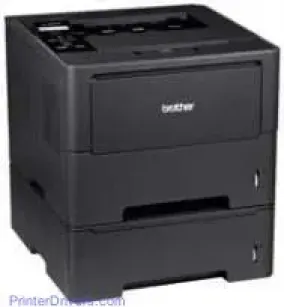
This Brother printer series includes the HL-6470DW, the HL-6180DW, and the HL-6180DWT under review. The three printer models use laser print technology with the electrophotographic print method. The Brother HL-6180DWT model has internal memory storage and processing capacity of up to 128 MB of RAM. Also, this memory is expandable up to 256 MB through the single slot of DDR2 SO-DIMM. The display feature of the printer involves a liquid crystal display (LCD) that supports 16 characters in a single line.
Brother HL-6180DWT Drivers for Windows
08b1b4d5e538d8cd5660b26a3d4043a0ed1bb06656dc93cf9fd0e1a7fd6368afd14ac853f52240a4265a4c8a6a0757d596fdec810f5d9694e5eff9a175129862Brother HL-6180DWT Drivers for macOS
a438aa1f33362f2a479458c2f2b65b4c63587d7bc1a7c39543a860e830aa0ea9a314aeb45f7ba51cb8989699479904e66af2b3bdfe9c46e581fa2cf5cde18df0ca245471c017a7bd2f5ff15a26183b1693353ded71e7110bc9347bd97509cc0e65a76003b7261eaef78f07a2046120065ececf80908847fd66687223d4c5b25f1c314e965ea405afba0a391130d9e5dfcadfc1f48d1bc507e1e02e63f0e2be62623af72665493bb62cd501e079c0f011be6d0066b02d05bcaa36415bd4d5aa7ff3c30ec8f49d874311cee80e5d5f211322e06a36622d74e058fab18aebd711f55420c58dffa8dd20c52475af7e40da397340bce5244eb5319724c86bde3d6d52Brother HL-6180DWT Specifications
The power entry through the AC supply allows a range between 220 and 240 volts at 50/60 Hz frequency. Also, the average power consumption is measurable through the ongoing processes in the printer. For instance, at the optimum performance from this device, the use is up to 1200 watts. Furthermore, printing takes up to 701 watts, but in the quiet mode, the consumption is only 340 watts. The ready mode takes only 4.9 watts, sleep mode, 2.9 watts, and the deep sleep requires 0.8 watts.
By physical dimensions, the Brother HL-6180DWT printer has a width of 371 mm and a depth of 384 mm. The height of the printer is about 418 mm while the weight is 14.6 kg. The environment where this printer is in use must maintain a temperature between 10 and 32.5°C during operations. However, while in storage, the temperature should be between 0 and 40°C. In terms of the humidity of that environment, the operating range is between 20 and 80%. However, during storage, the recommended range is between 10 and 90% without condensation.
This model of Brother printer has an input tray that can hold up to 500 sheets of plain paper. Such paper should have an average weight of 80 gsm for all cases, input, and output alike. This printer also has a multipurpose tray that can accommodate up to 50 sheets at a time. However, the output tray takes 150 sheets of printed paper at once.
Technical Details
| Title | Brother HL-6180DWT Drivers |
|---|---|
| Device Type | Printer |
| Driver Version | Varies by driver and operating system |
| Available Downloads | Drivers |
| License | Free |
| Manufacturer | Brother Industries, Ltd. |