
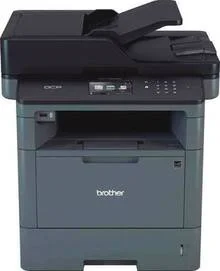
The Brother DCP-L5502DN driver assists your PC in communicating with the printer for easy installation and optimum performance. It provides an effective way of ensuring the compatibility of the printer with the operating systems it is compatible with. Once installed, printing, scanning, and copying operations can be performed easily from a stable connection.
Brother DCP-L5502DN Drivers for Windows
49886c475a8eef6bd5f86b0f78d5fc5818c1836372a6e436a631eeba11b9e43b2a9daf711d112ad96429b8b3014371ab04433ac9a3810a15eb85859b4d58275b2a9daf711d112ad96429b8b3014371ab04433ac9a3810a15eb85859b4d58275b02ab4e7ed33d644a971ffe96abbffa0810ef6249f6b371e43fe9bd9bac8fce2cBrother DCP-L5502DN Drivers for macOS
ac24dc9ef5043009b2f2646e04861883d81baeb6d1d13139b1686028b80f59c0Brother DCP-L5502DN Drivers for Linux
cf05b82d6c1412b9817fa6bdfe7948ed98e1c12b8f23201e013d1adb847a54dea59bed2521b99f40170804f590bc7d4165e4ae679117781a59e450385d8038bb3b89bcfdb027b09c80e0be7af3e4d706a659cb7f7103b84f6531792fa0c6aca9c2738194a2f77cde005f664d9521e4666af27ccbfc38834200fe7a0e8a54703a027b73648722ac8c8eb1a9c419d284a6562cc763feac9740a2b75a683b09297289d82315fd9d629f8af7b5bc489f392da218acfe2436e42eec147246101636d54225e91dd7f7d0ba2a202f616b15b669be7800c271a7d25efed94191f71fc4500fec3bcffeb597b2d23ef7ff31f34dc7bd8d4736a35c2d1ff5e56784d709ce53Brother DCP-L5502DN Specifications
Brother DCP-L5502DN is a monochrome laser multifunctional printer that uses electrophotographic printing technology. Printing results are clear black prints with a maximum resolution of 1200 × 1200 dpi. Maximum print speed is up to 42 pages per minute. The model supports automatic duplex printing, which helps to save paper during everyday office activity.
This printer has a 250-page standard tray and a 50-sheet multipurpose tray, which allow the use of various media types. The maximum capacity of the output tray is 150 sheets. Automatic duplex printing is compatible with various paper sizes. There is no support for borderless printing. The set of specifications is optimal for ordinary business documents and reports.
It is possible to use Hi-Speed USB 2.0 or internal Ethernet networking for convenient connections in the office. The wireless connection is not available for this printer. Installation of drivers is easy to perform for compatible operating systems. Stable wired connections help to avoid any wireless problems during busy working days.
Dimensions of the printer are 17.1 × 16.8 × 19.1 inches. The weight of the device is 35.9 pounds. It is easy to place the printer on the desk or work area because of its small size. Strong design makes it more reliable during everyday activity.
The device is intended for everyday monochrome document printing in offices, schools, and workgroups. The function of automatic duplexing helps to save paper during long printing. High-speed printing provides productivity. It is always possible to receive clear text in reports, invoices, letters, and other business documents.
Technical Details
| Title | Brother DCP-L5502DN Drivers |
|---|---|
| Device Type | All-in-one printer |
| Driver Version | Varies by driver and operating system |
| Available Downloads | Drivers |
| License | Free |
| Manufacturer | Brother Industries, Ltd. |