
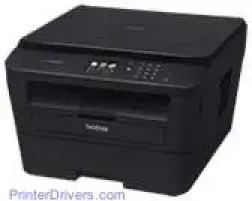
The Brother DCP-L2560DW is a fantastic device with outstanding features that set it apart from all other models. Characteristic of such elements is the printing technology which is the electrophotographic laser printing technology. This method is responsible for its high-quality print and high speed of delivery.
Brother DCP-L2560DW Drivers for Windows
5431e9d5c2ecf8fe9941956e31d93652cdf62ca005b2fa0a73bd0a9d032a38d7Brother DCP-L2560DW Drivers for macOS
754b338bfeb6946c1f791f2622ac9d0e8d2c7624599aa0b8b8061fe9041fbe56bd1a950e38f9ffafcddd1963ba6ac60e9df0289be45a345eeb3dc0db2738584f788371da818f2c42cf42b38a7ffac375129e3830b6557441992664884b5236f92d7785f0ecdb62e2b79781939dd3a8afca704585f11f48c01e4575f58cf043a1Brother DCP-L2560DW Specifications
Other models that belong to the same family as the Brother DCP-L2560DW include DCP-L2500D, DCP-L2520DW, DCP-L2540DN, MFC-L2700DW, MFC-L2720DW and MFC-L2740DW. This printer also has an internal memory of up to 64 MB and a liquid crystal display control panel with a touchscreen that comprises 16 characters and two lines. The TFT color touchscreen is also about 2.7 inches in diagonal measurement.
The power source for the device is alternating current only with an input range between 220 and 240 volts at a frequency of 50/60 Hz. At optimum performance, this printer consumes about 1104 watts approximately. During printing, the power usage is roughly about 510 watts, but in quiet mode, the power usage is only 313 watts.
Copying uses an approximate power of about 510 watts too and only 313 watts in the quiet mode. When the printer is ready for work, the consumption is about 60 watts and 6.6 watts in its sleep mode. On printer network standby, the power usage is only about 3.2 watts, and all of these usages are at the standard temperature of 23°C.
The width of this printer is about 409 mm; the height measures 316.5 mm while the depth is approximately 398.5 mm. More so, the weight of the printing device is about 9.9 kg. The environmental conditions under which this device can also perform optimally include a temperature range of 10 to 32°C while that of storage is 0 to 40°C. The recommended relative humidity range of this printer is between 20 and 80%.
Technical Details
| Title | Brother DCP-L2560DW Drivers |
|---|---|
| Device Type | All-in-one printer |
| Driver Version | Varies by driver and operating system |
| Available Downloads | Drivers |
| License | Free |
| Manufacturer | Brother Industries, Ltd. |