
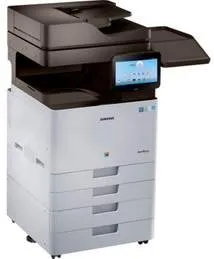
The Samsung MultiXpress CLX-9811CO printer model has many outstanding features, such as easy integration and expandability. It has a user-friendly design with a powerful inbuilt security feature that ensures maximum productivity. This machine has a configuration that befits a multifunction device with the ability to print, copy, scan, and fax documents. Some of the other features include enhanced fax options and extra paper trays.
Samsung MultiXpress CLX-9811CO Drivers for Windows
e4256eca5151a5c923b75e781c763b961f6230ab465a23999eeb417bd58ee27feb481e2d52580423e70b0aa7e8b0a5dde4f1abf3854c6ccac53d03c3bc3a36b00cbbd374973988d5a28be2948ccd69f43cf70b7df3a817891f18af8d352253787806ce4b78ac9c97f73cd5059c8081837499de06af65bb0da3a38e902e5ba11056fa0a7aa85fa63ca492c4d1161f84a1312762f20c8d9baed0cadf94bac52101b5e47bb390b4d01c1d1647e3455fb11fdbb85f34f73d2d61a1be2fb3a92d8315b070e320cb18bc9efe3dbdb1daa1214887d255e5b44005721f2e05710a5cbe6ba2452415325e5ca29ba4d00c398e9334c98b21bf4f5d8f8b10a2e734e610f6743c642e6ba796a9f94e461f9e7c3e089b39a7429a2ee1a1cbb0007573e47ce7815262eff1baed1bda9ad56ce90c77d4e0bc7420670cdffc48d3a83feb2dcda319Samsung MultiXpress CLX-9811CO Drivers for macOS
94c890694430c1c82f455f0ceaae3ff5205b7fc67da9932052678081db99d5f13652457485585f5ca4ef4c6205e793f455bfcdf645db9eea416db7e1457da6ceSamsung MultiXpress CLX-9811CO Drivers for Linux
0c38213b846644500526bf281caaa6e36c40b8f2241cac2f0398c97c3814540eSamsung MultiXpress CLX-9811CO Specifications
In both compact and extended shapes, the Samsung MultiXpress-CLX-9811CO machine is entirely suitable for open commercial printing. Also, it possesses maximum versatility to ensure that the user gets an optimum performance and productivity experience. The device also has a control panel with an adjustable display of side-to-side comfort of use. This control panel has a liquid crystal display (LCD) that has a touchscreen and provides easy navigation and use.
This machine can not only print on A4 paper, but it can also print on an A3 as the maximum size. The rate of its printing work reaches up to 35 pages per minute for both color and black/white printing. Besides that, the first printout time is just as little as 8.5 seconds from the time of issuing the command to print. Copying is under one-touch access and quick menu options for a wide range of choices for finishing the document.
It handles paper in a very fantastic way with its multiple paper trays both for input and output. The bins have adjustable paper guides that ensure that paper flow is unbroken. Also, its standard tray will hold up to 1040 sheets of plain paper, and this quality is essential to commercial printers. The commercial printer will not have to intervene with the printing process for at least a thousand sheets up.
Technical Details
| Title | Samsung MultiXpress CLX-9811CO Drivers |
|---|---|
| Device Type | All-in-one printer |
| Driver Version | Varies by driver and operating system |
| Available Downloads | Drivers |
| License | Free |
| Manufacturer | Samsung Electronics Co., Ltd. |