
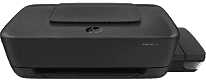
When using the HP Ink Tank 118 printer, users should note the presence of an inner driver to support its manual duplex printing. It also uses the PCL 3 GUI emulation print language, which is directly responsible for top-quality print output. Some of the compatible printer cartridges include the HP GT51XL Black Ink Bottle with a volume of 135cc. Other cartridges with their respective volumes include HP GT52 Cyan, Magenta, and Yellow Ink Bottle, each with a volume of 70 ccs.
HP Ink Tank 118 Drivers for Windows
67d941977fe918a34f9138cc6d699b996972b1b08417dd42eac6911c62c97fa19baedaef1492ce1f61db04a0847ef9b41ce4e35a222b0e2520f4ba92619e7589d52f6f8a60d36426723738b3bcd6a870e6ea4c34b7d8e2c00644f0cdeef03d342f92fdda886ff61322267491d919546ee90c5c8a688eaf9d89f24a8cde5b5c842f92fdda886ff61322267491d919546ee90c5c8a688eaf9d89f24a8cde5b5c842f92fdda886ff61322267491d919546ee90c5c8a688eaf9d89f24a8cde5b5c84HP Ink Tank 118 Drivers for macOS
99e1d18847c64a405486ae34424f0a1c8d89920d17df86c45b6b0007f101d70aHP Ink Tank 118 Specifications
According to the environmental requirements of the manufacturer, the machine produces an acoustic power emission of 6.0 B(A). On the other hand, the acoustic pressure emissions are about 47 dB. Also, the recommended humidity during operation is between 20 and 80% with no condensation. On the other hand, the non-operating relative humidity range is between 5 and 90% with no condensation. At the same time, the temperature also has its acceptable ranges.
For instance, when the machine is in operation, the recommended temperature is between 15 and 30°C. But in storage, the temperature range is between -40 and 60°C and integrated memory. Considering the input capacity of the machine, it has an input tray that can take 60 sheets of plain paper or 20 index cards. It can take five envelopes, while the output rate is about 25 sheets of printed documents. The supported media sizes include DL envelopes, legal, letter, A4, B5, A6, and custom sizes.
Physically, this machine has a width of 523 mm, a depth of 569.75 mm, and a height of up to 259.7 mm. Its net weight is up to 3.4 kg while also having HP auto-off technology. This technology is the energy savings feature technology while having an internal power supply. More so, the input voltage is also between 100 and 240 volts AC.
Technical Details
| Title | HP Ink Tank 118 Drivers |
|---|---|
| Device Type | Printer |
| Driver Version | Varies by driver and operating system |
| Available Downloads | Drivers |
| License | Free |
| Manufacturer | HP Inc. |