
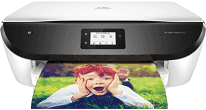
The specific printer specifications include an HP thermal inkjet print technology with duplex printing. The latter enables the printer to print on both sides of the page. Similarly, the speed of the ISO mode is 13 pages per minute (ppm) when printing in black and white. Color printing, on the other hand, works at the rate of 8 ppm at the same ISO mode. The best print resolution is up to 4800 x 1200 dots per inch (dpi) when printing from a computer.
HP ENVY Photo 6232 Drivers for Windows
edd4cd5e056826883e90d92c024e36f2330bdccdec0ebfaa4c86a3c1b7b644655b137f9c74ea37b9b1a2fb3808650e5585091bdb07b69e8a07f49193108d08799f863f0fe9378254cce1decbafb67a73f6d69207fb33e026222cf3b4d95915dcf50dad657f400372a066f31d5596db54ad4d289fdcdaf11f1209f7c83f8ebfaef50dad657f400372a066f31d5596db54ad4d289fdcdaf11f1209f7c83f8ebfaef50dad657f400372a066f31d5596db54ad4d289fdcdaf11f1209f7c83f8ebfaeHP ENVY Photo 6232 Drivers for macOS
99e1d18847c64a405486ae34424f0a1c8d89920d17df86c45b6b0007f101d70aHP ENVY Photo 6232 Drivers for Linux
dc173d7b548017175b452547b29f8231e58c4302cfc60f9ae19a1ee649357bc3The recommended maximum duty cycle of the HP ENVY Photo 6232 printer is up to 1000 pages. The scanning process has a new CIS component that maximizes productivity as well as a resolution of up to 1200 dpi. On the other hand, the printer has 256 levels of grayscale, and a maximum flatbed scan size is 216 x 297 mm. Another essential feature of the printer is a one-year warranty period limited to the hardware of the printer only.
The HP ENVY Photo 6232 drivers support operating system versions including Windows 10, 8, 8.1, Vista, and XP SP3. On the other hand, the different variants include Mac OS X v10.12, v10.11, and Mac OS v10.10. The number of print cartridges is two, one for black and three for cyan, magenta and yellow colors. These replacement cartridges include HP 303 and HP 303 XL cartridges with varying print capabilities. Users with this model of printer can also enjoy the energy-savings feature of the modern auto-off technology.
There is an inbuilt feature of a universal power supply and an input range between 100 and 240 volts. HP ENVY Photo 6232 has a width of 6.34 inches, a depth of 17.87 inches and a height of 16.14 inches. Nevertheless, the weight of the machine is 14.74 lbs, which is equivalent to 6.70 kg.
Technical Details
| Title | HP ENVY Photo 6232 Drivers |
|---|---|
| Device Type | All-in-one printer |
| Driver Version | Varies by driver and operating system |
| Available Downloads | Drivers |
| License | Free |
| Manufacturer | HP Inc. |