
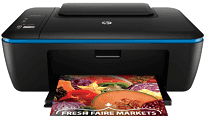
Are you searching for a multi-function printer? Then, HP DeskJet Ink Advantage Ultra 2529 is an all-in-one printer you can buy. It can print, copy and scan high-quality documents at a fast speed. This printer is light in weight as its total weight is 3.9 Kg. And the physical dimensions of the printer are 431.4X302.3X157.9 mm.
HP DeskJet Ink Advantage Ultra 2529 Drivers for Windows
3b319e9ac4363eec0a2b472b6d87e8ef87eb564378cbb273073a7b160e02ea8c369712d690067031335be4625f484afd8df0859b0188aeb79aeee99264a858fd37247dfb3e557b5cae8d7f090cc9ffb880096b6cf0ff83ac7782e5deba8ad30bHP DeskJet Ink Advantage Ultra 2529 Drivers for macOS
99e1d18847c64a405486ae34424f0a1c8d89920d17df86c45b6b0007f101d70aHP DeskJet Ink Advantage Ultra 2529 Drivers for Linux
ffcdae944195182ebded7647c2fd90d13cf4f2738828a33472add60aae2be1f8The copy resolution of the HP DeskJet Ink Advantage Ultra 2529 printer in black text is up to 600X300 dpi and in color text is also up to 600X300 dpi. With this device, you can reduce and enlarge documents. As for its scanning specifications, it has a flatbed scanner type and supports various file formats, such as JPEG, PDF, PNG, TIFF, and BMP. The optical scan resolution stands at 1200 dpi, and the maximum scan size stands at 216X297 mm.
Its input tray can handle up to 60 sheets of plain paper, and the capacity of the output tray is 25 sheets of plain paper. This printer also supports duplex printing, and the supported media sizes are A4, B5, A5, A6, and DL envelope. The supported media types are plain paper, envelopes, photo papers, etc. It also supports borderless printing, and the recommended media weight range is 60 – 300 g/m2.
The print speed of the device in a draft mode of black is up to 7 ppm and of color is up to 4 ppm. With this device, you can print a maximum of 1000 pages per month. It uses HP thermal inkjet printing technology, and the language of the device is HP PCL3 GUI. The print resolution in the best mode of color stands at 4800X1200 dpi and of black is up to 600 dpi. The power consumption of HP DeskJet Ink Advantage Ultra 2529 is 10 watts. And the recommended temperature for the device is 5 to 40 degrees Celsius.
Technical Details
| Title | HP DeskJet Ink Advantage Ultra 2529 Drivers |
|---|---|
| Device Type | All-in-one printer |
| Driver Version | Varies by driver and operating system |
| Available Downloads | Drivers |
| License | Free |
| Manufacturer | HP Inc. |