
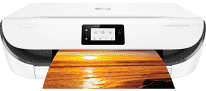
The machine belongs to the HP DeskJet Ink Advantage 5080 printer series of multifunctional printers. HP DeskJet Ink Advantage 5088 also has its own print driver compatible with various operating system versions. Also, the connectivity with the machine involves using a hi-speed USB 2.0 port and a Wi-Fi 802.11n dual-band component. Meanwhile, copying with this machine involves:
- Starting black or color
- Selecting the number of copies
- 2-sided copying
- ID card copy
HP DeskJet Ink Advantage 5088 Drivers for Windows
7a877f6ec7bccdbae1c7022d770cb8a12246fb6a4de16c81d8d96e763ddad51284ff9acec18cddfbb790bbb76ce465839adef21bcef322a687222df2be4a73a729a4eedbf0094041ef7ba1743cd060a8c5c00cf3dd197a49e57c7eb33c22a50b2f92fdda886ff61322267491d919546ee90c5c8a688eaf9d89f24a8cde5b5c842f92fdda886ff61322267491d919546ee90c5c8a688eaf9d89f24a8cde5b5c842f92fdda886ff61322267491d919546ee90c5c8a688eaf9d89f24a8cde5b5c84HP DeskJet Ink Advantage 5088 Drivers for macOS
99e1d18847c64a405486ae34424f0a1c8d89920d17df86c45b6b0007f101d70aHP DeskJet Ink Advantage 5088 Specifications
The machine allows both monochrome and color copying. Meanwhile, it can produce an output resolution of up to 600 x 300 dots per inch (dpi). In addition, HP DeskJet Ink Advantage 5088 model allows non-operating humidity to range between 20 and 80% without condensation in a typical work environment. But the storage temperature can only be between -40 and 600C. By the way, the modem speed for the faxing process is about 56 kbps.
The HP DeskJet Ink Advantage 5088 model also has an internal memory of 256 MB of DDR3, which is the maximum capacity in the practical sense. Also, some of the notable mobile printing services include wireless direct and Wi-Fi components. Others include Apple AirPrint, HP ePrint, and other solutions such as the Mopria certification.
In terms of paper handling, the input paper tray can hold up to 100 sheets of plain paper. It can contain 40 index cards under ideal conditions. However, the output tray can load up to 25 printed documents while supporting standard paper sizes. The supported standard paper sizes include A4, A5, B5, DL envelopes, C6, and A6. It also supports TCP/IP network protocols under ideal conditions.
Technical Details
| Title | HP DeskJet Ink Advantage 5088 Drivers |
|---|---|
| Device Type | All-in-one printer |
| Driver Version | Varies by driver and operating system |
| Available Downloads | Drivers |
| License | Free |
| Manufacturer | HP Inc. |