
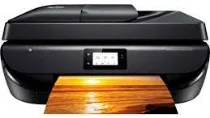
The HP DeskJet Ink Advantage 5278 printer model is a member of the Ink Advantage series of all-in-one printers. HP DeskJet Ink Advantage 5278 contains an internal driver with exceptional qualities for suitable compatibility with standard operating system versions. Besides, the contents of the machine box include HP 680 setup black and tri-color ink cartridges, ink flyer, and power cord. The black cartridge can produce 480 pages, while the color cartridge can print 150 pages.
HP DeskJet Ink Advantage 5278 Drivers for Windows
74bd2bc7c69f01b1608ee0facb1ee2bf984e9b099e6841a4c4bc486b110fba7a2ac89e9349907b973a8a284ed5b2f0e58639f1415248f8ebd3a4dbab59293eb97ad7ab185e749f78b2301a501799b4d6caa2231512a425c158b7e8283f65c33a2f92fdda886ff61322267491d919546ee90c5c8a688eaf9d89f24a8cde5b5c842f92fdda886ff61322267491d919546ee90c5c8a688eaf9d89f24a8cde5b5c842f92fdda886ff61322267491d919546ee90c5c8a688eaf9d89f24a8cde5b5c84HP DeskJet Ink Advantage 5278 Drivers for macOS
99e1d18847c64a405486ae34424f0a1c8d89920d17df86c45b6b0007f101d70aHP DeskJet Ink Advantage 5278 Specifications
The connection options for this machine include a hi-speed USB 2.0 and a Wi-Fi 802.11n in a dual-band component. In addition, the copier settings include starting black and color copies, selecting the number of copies, 2-sided copying, paper type selection, resizing, ID card copying, and contrast adjustment. It also supports both color and black document copying with a resolution of up to 600 x 300 dots per inch (dpi). A non-operating humidity range is between 20 and 80% without condensation.
This machine supports faxing of both color and monochrome documents. It also has the best resolution of 300 x 300 dpi, while the fax memory stores up to 100 pages. At the same time, it supports a telephone handset and fax telephone mode. Whereas the modem speed is about 56 kbps, and the transmission speed is 5 seconds per page. HP DeskJet Ink Advantage 5278 also has an internal memory of 256 MB DDR3L, which is the maximum level the machine can provide.
Mobile printing services include wireless direct printing and local Wi-Fi connectivity through HP ePrint and Apple AirPrint. However, it also supports solutions such as the Mopria certification. The significant advantage of mobile printing services is the compatibility with diverse mobile operating systems. Examples include Android, iOS, Blackberry, Windows 8, Windows RT, Symbian. However, the maximum device dimensions consist of a width of 445 mm, a depth of 564 mm, and a height of 128 mm.
Technical Details
| Title | HP DeskJet Ink Advantage 5278 Drivers |
|---|---|
| Device Type | All-in-one printer |
| Driver Version | Varies by driver and operating system |
| Available Downloads | Drivers |
| License | Free |
| Manufacturer | HP Inc. |