
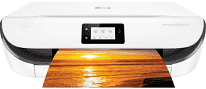
This product, the HP DeskJet Ink Advantage 5085 model, is an all-in-one printer which can print, scan, and copy documents. The product number is M2U88B, which is a unique identifier which distinguishes the model from other similar printers. The printer package contains, in addition to the print machine, an HP 680 setup black ink cartridge for 120 pages. Another cartridge for different colors includes the HP 680 tri-color ink cartridge for up to 100 pages. The latter is capable of printing in cyan, magenta and yellow colors.
HP DeskJet Ink Advantage 5085 Drivers for Windows
7a877f6ec7bccdbae1c7022d770cb8a12246fb6a4de16c81d8d96e763ddad51284ff9acec18cddfbb790bbb76ce465839adef21bcef322a687222df2be4a73a729a4eedbf0094041ef7ba1743cd060a8c5c00cf3dd197a49e57c7eb33c22a50bf50dad657f400372a066f31d5596db54ad4d289fdcdaf11f1209f7c83f8ebfaef50dad657f400372a066f31d5596db54ad4d289fdcdaf11f1209f7c83f8ebfaef50dad657f400372a066f31d5596db54ad4d289fdcdaf11f1209f7c83f8ebfaeHP DeskJet Ink Advantage 5085 Drivers for macOS
99e1d18847c64a405486ae34424f0a1c8d89920d17df86c45b6b0007f101d70aOther items in the container include an ink flyer and a power cord for the primary power source. The connectivity ports include one hi-speed USB 2.0 port and a wireless Wi-Fi 802.11n dual-band. The copier settings include starting black copy or color copy, selecting several copies and 2-sided copies. Other features include a selection of paper type, resize, ID card copy, and contrast setting for darker or lighter copying. The copy resolution is also about 600 x 300 dots per inch (dpi).
The modem speed for the HP DeskJet Ink Advantage 5085 printer in a typical faxing mode is about 56 kbps. It also has an internal memory of about 256 MB of DDR3L memory at maximum. The printer supports mobile printing features such as wireless direct printing and local Wi-Fi connectivity in support. The supported network protocols are TCP/IP while the input capacity is up to 100 sheets of plain paper. The capacity differs for other paper sizes such as 40 cards and ten envelopes.
On the other hand, the output capacity of the printer is only 25 printed sheets. The supported media sizes for this printer model include A4, A5, B5, DL, C6, and A6. The recommended paper types also include plain, HP photo papers and HP Matte Brochure or professional papers.
Technical Details
| Title | HP DeskJet Ink Advantage 5085 Drivers |
|---|---|
| Device Type | All-in-one printer |
| Driver Version | Varies by driver and operating system |
| Available Downloads | Drivers |
| License | Free |
| Manufacturer | HP Inc. |