
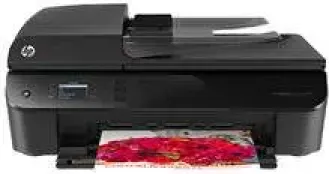
If you need a superb quality printing device with additional functions, then HP Deskjet Ink Advantage 4648 is the one. It has a unique design and also very popular amongst the users. The device consists of printing, copying, scanning, and faxing function with extra features.
HP Deskjet Ink Advantage 4648 Drivers for Windows
fa18923e96abe2e4686f3862845304bbd74d4f1b6f5dbcb4da02c227e2f2c9f053db558536e0318abe036a6aa0b3f2f97fa66cd2121543ad862cc844194796dfde0b963b647307d182eda6fe70ca81afb70169150913d8eb0ce17e3ac2ac19dbd2f18088da8df16f0017983756626431eeeeddb0e386dd19a223c89e5a6a9c4fce728403422ec1c590fb971561abec94e476484815326373058a39afd61bccc2HP Deskjet Ink Advantage 4648 Drivers for macOS
8f24fa0f77e76f4013f26fd7fb8b50a43bcee1cf14873746a0f571d0222a0db213d9b645646200cd7c9cf9e8d3058f55280de59474edb8a3803c5fe31efa498fHP Deskjet Ink Advantage 4648 Specifications
HP Deskjet Ink Advantage 4648 Printer has both ePrint and AirPrint mobile printing capability. As for the connectivity features, the device has wireless, USB, and direct wireless support. This device has the dimensions as 177.8 mm height, 445 mm width, and 334 mm depth. It only weighs 6 kg which makes it more portable.
Starting with the Printing specifications, it has 5 different printing modes. The Draft mode, normal mode, plain-best mode, photo-best mode, and the Max dpi mode take the high-quality printing to a whole new level. As for the language and method, it still uses PCL3 GUI and drop-on-demand thermal inkjet technology. Another great feature of the device includes the two-sided printing support.
Next is copying specifications, which uses the same digital image processing technology. It can enlarge and reduce the copy up to 400% and 25% respectively. However, the printing and copying speed still depends on the document. As for the scanning function, the device has an image editor. With the Twain complaint software interface, it can scan size from the glass as 8.5 x 11.7 inches. It also has resolution support up to 1200 x 2400 optical PPI.
The device also has a fax function that uses Black-and-White and color fax capability. The users can set up to 99-speed dials that include the manual fax “send and receive” feature. While the speed can be increased up to 33.6 Kbps, it takes almost 4 seconds per page to send the fax. But the speed of fax becomes slow as the resolutions increases.
Technical Details
| Title | HP Deskjet Ink Advantage 4648 Drivers |
|---|---|
| Device Type | All-in-one printer |
| Driver Version | Varies by driver and operating system |
| Available Downloads | Drivers |
| License | Free |
| Manufacturer | HP Inc. |