
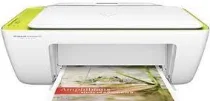
Hewlett Packard is a well-known brand in the IT industry. The name, shortened to HP, produced its first printer in the year 1984, and now it is one of the largest manufacturers of IT-related products like computers, printers, laptops, etc. These products are highly popular among the users due to their affordability, great output, and customer service. To compare its popularity, if you ask a layman about the best printer, he will simply suggest HP. Here, we review one of the best printer models, HP DeskJet Ink Advantage 2135 driver. We will discuss its features, strengths, and weaknesses.
HP DeskJet Ink Advantage 2135 Drivers for Windows
0377146aa4c5d3dcc9e851376fb7a1382f226b5a9f38d222c7f1b49ac50b0905Driver details (4 INF files)
- INF file
hpygid20.inf- Driver version
- 20.79.01.6597
- Hardware IDs
USBPRINT\HPDeskJet_2130_serie56EEHPDeskJet_2130_serie56EE
- INF file
hpygid60.inf- Driver version
- 17.60.00.5100
- Hardware IDs
USBPRINT\HPDeskJet_2130_serie56EEHPDeskJet_2130_serie56EE
- INF file
HPWia_DJ2130.INF- Driver version
- 40.11.1114.1765
- Hardware IDs
usb\Vid_03F0&Pid_E111&mi_00NULLSCAN
- INF file
HPRestStub.INF- Driver version
- 35.0.56.52825
- Hardware IDs
USB\Vid_03F0&Pid_E111&mi_03
8ac995ea11cd38916a85c660e3b7b212e2a0b7c992804714353191fde1a2773cDriver details (4 INF files)
- INF file
hpygid16.inf- Driver version
- 16.54.00.3909
- Hardware IDs
USBPRINT\HPDeskJet_2130_serie56EEHPDeskJet_2130_serie56EE
- INF file
HPWia_DJ2130.INF- Driver version
- 35.0.43.52222
- Hardware IDs
usb\Vid_03F0&Pid_E111&mi_00NULLSCAN
- INF file
HPRestStub.INF- Driver version
- 35.0.56.52825
- Hardware IDs
USB\Vid_03F0&Pid_E111&mi_03
- INF file
HPWinUSBStub.INF- Driver version
- 35.0.56.52825
- Hardware IDs
USB\Vid_03F0&Pid_E111&mi_02
af82d99162b6d30b05baa93b68dc9fb90ea689ad8b35ae192c7b9e43a517184aDriver details (4 INF files)
- INF file
hpygid20.inf- Driver version
- 20.79.01.6597
- Hardware IDs
USBPRINT\HPDeskJet_2130_serie56EEHPDeskJet_2130_serie56EE
- INF file
hpygid60.inf- Driver version
- 17.60.00.5100
- Hardware IDs
USBPRINT\HPDeskJet_2130_serie56EEHPDeskJet_2130_serie56EE
- INF file
HPWia_DJ2130.INF- Driver version
- 40.11.1114.1765
- Hardware IDs
usb\Vid_03F0&Pid_E111&mi_00NULLSCAN
- INF file
HPRestStub.INF- Driver version
- 35.0.56.52825
- Hardware IDs
USB\Vid_03F0&Pid_E111&mi_03
adc6ecb60654c526ce2d26b084974dc531eb6d561b27b3a14b5e83c73febb1f9Driver details (4 INF files)
- INF file
hpygid16.inf- Driver version
- 16.54.00.3909
- Hardware IDs
USBPRINT\HPDeskJet_2130_serie56EEHPDeskJet_2130_serie56EE
- INF file
HPWia_DJ2130.INF- Driver version
- 35.0.43.52222
- Hardware IDs
usb\Vid_03F0&Pid_E111&mi_00NULLSCAN
- INF file
HPRestStub.INF- Driver version
- 35.0.56.52825
- Hardware IDs
USB\Vid_03F0&Pid_E111&mi_03
- INF file
HPWinUSBStub.INF- Driver version
- 35.0.56.52825
- Hardware IDs
USB\Vid_03F0&Pid_E111&mi_02
5e07dd6a6c91843f56503e64f680ee2c1aca5d5e895ba04e6be0570e67de7fccDriver details (4 INF files)
- INF file
hpygid20.inf- Driver version
- 20.79.01.6597
- Hardware IDs
USBPRINT\HPDeskJet_2130_serie56EEHPDeskJet_2130_serie56EE
- INF file
hpygid60.inf- Driver version
- 17.60.00.5100
- Hardware IDs
USBPRINT\HPDeskJet_2130_serie56EEHPDeskJet_2130_serie56EE
- INF file
HPWia_DJ2130.INF- Driver version
- 40.11.1114.1765
- Hardware IDs
usb\Vid_03F0&Pid_E111&mi_00NULLSCAN
- INF file
HPRestStub.INF- Driver version
- 35.0.56.52825
- Hardware IDs
USB\Vid_03F0&Pid_E111&mi_03
5744720d0a2d12007fab16fd918b3690a478c748233d8dc8366de5df0c89be27HP DeskJet Ink Advantage 2135 Drivers for macOS
20a4688a841be5b4dbfb746df2b9f36c6b10e212855cd5171292d57a61698ebc99e1d18847c64a405486ae34424f0a1c8d89920d17df86c45b6b0007f101d70aHP DeskJet Ink Advantage 2135 HP ink advantage 2135 cartridge details
Black Ink HP 680 Cartridge (~480 pages), HP 680 Tri-color Ink Cartridge (~150 pages)
Specifications
The HP DeskJet Ink Advantage 2135 is a better combination of a printer, scanner, and copier. For daily work in the office or at home, it is a reliable appliance which is highly affordable. You can save a lot of money with this DeskJet as it uses low-cost ink cartridges. If you need high-quality prints immediately, this printer will suit you well.
This site helps you to select the correct HP DeskJet Ink Advantage 2135 driver that is compatible with your operating system.
It can print 300+ papers at a higher speed and within a single ink role. You won’t face any trouble while using this product as it provides you versatility with important features to Print copy and scan the documents within seconds. Although, there is no such requirement of any technical skills as it is fully automatic and you just have to provide the command to get the results.
It suits your every requirement and you can completely rely on this powerful tool which comes with a combo of functionality like printing, scanning, and copying.
This computing appliance is easy to start and set up, which makes you able to scan, copy and print quickly and with great quality. Previously, you had to manage these three processes separately, which increased costs, maintenance and the space used. But now, HP DeskJet Ink Advantage 2135 comes all in one.
As per its duty cycle, it can print an average of 1000 pages (A4) on a monthly basis and you get a black print within 15 seconds and color in 18 seconds. It is based on HP thermal print technology and comes with HP PCL 3 GUI drivers. It offers you superb print quality, with 4800 x 1200 dpi for color printing and 1200 x 1200 dpi for black printing.
HP DeskJet Ink Advantage 2135 uses two print cartridges. One black and one tri-color This printer canner a copier are powered by 1 Hi-Speed USB 2.0 connectivity and the minimum requirement with compatibility are Windows 10, 8.1, 8, 7.1 and works on both 32 and a 64-bit processor. Windows XP, Vista, OS X v10.8 Mountain Lion, OS X v 10.9 Mavericks and OS X v 10.10 Yosemite. It comes with integrated memory with a 60- sheet input tray, with a 25- paper handling output tray. The media size it supports A4, B5, A6 a DL envelope.
Pros:
- HP DeskJet Ink Advantage 2135 driver is compatible with operating systems, Windows XP, Vista, 10. 8.1, 8, 7, Mountain Lion, Mavericks, and
- It offers you a three-in-one combo with effective and high-quality printing, scanning and copying. A full driver and software package is available for Windows 11.
- Every common paper size is supported by HP DeskJet Ink Advantage 21358 such as A4, A5, A6, B5, B6, and others.
Cons:
- HP DeskJet Ink Advantage 2135 is comparatively slow with respect to laser printing.
- It does not support Wi-Fi connectivity or any other wireless connectivity.
- If there is a fault in the scanner or any single part, then you have to carry the whole piece of equipment.
Before reviewing the HP DeskJet Ink Advantage 2135, I tested it thoroughly and worked with it. In this review, I have described its strengths, weaknesses, and capabilities.
Technical Details
| Title | HP DeskJet Ink Advantage 2135 Drivers |
|---|---|
| Device Type | All-in-one printer |
| Driver Version | Varies by driver and operating system |
| Available Downloads | Drivers |
| License | Free |
| Manufacturer | HP Inc. |