
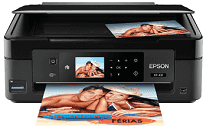
Epson XP-431 Driver carries instructions between the computer and the printer during setup and everyday use. Installation adds the controls needed for compatible Windows and macOS systems. A nearby computer can connect by USB, while wireless printing uses the local network. Printing, scanning, and copying then operate from supported applications with the chosen document or photo settings.
Epson XP-431 Drivers for Windows
b34219b703761f46c0574837f25304b4a0c56c9a0361edf563cf000936afe209f3cad6d74197fe6434a664ce8bb1e3048fb5ecb56984019bbb578cb9835ccae10875b3eeff0603dc55730cf5e5e1d5dadc8e8693fa4d4a40c80a563a8dfaaaf7a724d6f555c0c10c6d3ea8ff33b3c663b450fd37737b2e71cd08b7035f8ae5f7Epson XP-431 Drivers for macOS
0da3c9621aa4a29b2733c42decb8a2a803558cafeca81b572f6dfd4953c96b58243e839a753aa98fe5c1150165c8dccef6964470764bb4339935654448238a37d140086a5a373080658cb565e40d3e1c2df8946e94fc256089c69a12f763ff5d3dee4cd767cb069e2dbe84397f91aebd12061a2181f517a59a28efa52ed0b1e23a7e8989ac5085a70b4ec1d4bb33929f52e58ccef391e7f74f04b0d426fa370bcbcb048e47ede1ef43f6f9566c4551f25a30e7c65f75ff3fd7cea1f1aa9b4f04Epson XP-431 Specifications
The Epson XP-431 prints in color, scans from a flatbed, and makes copies without a computer. Its MicroPiezo printhead uses separate cyan, magenta, yellow, and black DURABrite Ultra cartridges. Standard ink comes from Epson’s 296 series, with a higher-capacity 297 cartridge available for black. A 2.7-inch color LCD and touch-sensitive controls provide access to photo previews, maintenance tools, and copy settings.
Print resolution reaches 5760 × 1440 optimized dpi. Standard ISO output runs at 9.0 ppm in black and 4.5 ppm in color. Draft mode can move faster, reaching 33 ppm for black pages and 15 ppm for color. Scanning relies on a color CIS flatbed with 1200 dpi optical resolution. Each original must be placed on the glass, and copy sizing ranges from 25% to 400%.
The rear feeder takes 100 plain sheets or up to ten envelopes. Printed pages collect in a 30-sheet output tray, so larger jobs may need attention before the feeder empties. Standard sizes include A4, Letter, Legal, B5, A5, and A6. Common photo sheets and selected Epson specialty papers use the same rear feed. Borderless output is limited to compatible photo sizes, while double-sided pages require manual turning because no duplex unit is fitted.
A nearby computer can connect through high-speed USB 2.0. Wireless jobs can use an 802.11b/g/n network or Wi-Fi Direct when no router connection is available. Photos may also be selected from an SD memory card using the control panel. Mobile printing covers Epson iPrint, Email Print, AirPrint, and Google Cloud Print. With its trays closed, the body measures 390 × 300 × 145 mm and weighs about 4.3 kg; Ethernet, fax, and touchscreen operation are not fitted.
Technical Details
| Title | Epson XP-431 Drivers |
|---|---|
| Device Type | All-in-one printer |
| Driver Version | Varies by driver and operating system |
| Available Downloads | Drivers |
| License | Free |
| Manufacturer | Seiko Epson Corporation |