
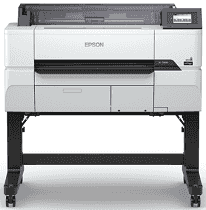
The last driver helps improve the printing accuracy of the Epson SureColor SC-T3430 used for technical drawings. The stability provided by the driver is appreciated by the engineers because it prevents unwanted interruptions during the process of printing. Installation of the package takes a couple of minutes due to easy-to-follow screen prompts. What is more, the driver is compatible with different operating systems.
Epson SureColor SC-T3430 Drivers for Windows
a16ed4990ddd54356f9b962403b66eab85763fbba69e6c3c417c3b2fd03811e00f8de69fb297ea14cada015d31172b782d69d934e8a9dedf7ad57f714c0980cc246592ec34804a9988f49a40aaaadcc22575c5d829466f036fcc453956f865fdEpson SureColor SC-T3430 Drivers for macOS
b6dd72b21d50d92d4344e2be86e4e1e5f3cc06044cb185fa2c905a71fcf5a953811fdc85f10dde7966bfd2dc35ee896080a46775f788d9495fc76e6621f8c8f7Epson SureColor SC-T3430 Specifications
Epson SureColor SC-T3430 was built for the contemporary workplace with a user-friendly, small-sized construction. The printer has a compact design, making it one of the smallest models of the same class; therefore, it can be installed in offices with limited space but provides full functionality. It can be placed in any corner and leaves more room for work. Epson SureColor SC-T3430 holds and cuts the pages before releasing them for finishing.
The productivity of the printer has been boosted due to various connectivity options, including Wi-Fi Direct. These features allow convenient wireless printing on smart devices, and Wi-Fi Direct connects the printer to other devices without using a network router. For Apple devices, you can use Apple AirPrint and print without installing any extra software. There is a large 4.3-inch touch panel for setting up and convenient printing without using a PC.
The printer allows a scan-to-print function if it is used along with the corresponding Epson scanner. You will be able to increase the size of your scans by following four simple steps. The high-quality printouts are provided by Advanced PrecisionCore TFP printhead technology, which provides high print quality and reliability. 1.3-inch printhead with 3,200 nozzles distributed in four ink channels and using Variable Size Dot Technology.
Built to operate in a harsh environment, the Epson SureColor SC-T3430 was equipped with special maintenance technologies. The printer uses Nozzle Verification Technology that helps to monitor the condition of nozzles during printing and maintain the quality of prints without stopping the active print job. The exclusive anti-dust design requires less cleaning in dusty workplaces. It prints at 2400 x 1200 dpi with 24-inch media width and A1 CAD in 25 seconds.
Technical Details
| Title | Epson SureColor SC-T3430 Drivers |
|---|---|
| Device Type | Printer |
| Driver Version | Varies by driver and operating system |
| Available Downloads | Drivers |
| License | Free |
| Manufacturer | Seiko Epson Corporation |