
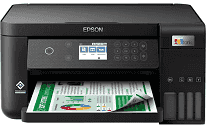
The Epson L6260 printer driver increases the speed of printing, keeping the clarity of the printed material intact. Updates in the driver software increase the stability of the computer while carrying out large and complex printing tasks. The installation process is very simple.
Epson L6260 Drivers for Windows
b8948645f9f393cfc4eb66937bfd55f6d97226e97b9b7f9574066ba3b5c6d49480266bd667da32a9707d07b9e525dd723ddbcaa3c3ccce023149838efb66fb3e0bca1aa0e1d1b387820d632fcda68b3900d9ebe13c86afe2b994edf317da6d9ec02a8de9abba8db6af4b85d5af6317719c64d6c5ed374938f069e2bcb3809230Epson L6260 Drivers for macOS
6e3617ace358d76b41d1cb88042d74ec8f4e83bcd9c1c7aa1b44fc25046af659f948644d7795f60032817c304a296f88a8073410fc188deafcd161409df9b3d87fde4493234fd1244dfa2008dc3536b25acf42c193735e60267268dcfa605963Epson L6260 Specifications
The Epson L6260 features a PrecisionCore™ print head that allows the reliable everyday use of this printer. This printer has nozzle configurations consisting of 400 black nozzles and 128 nozzles per color. It is equipped with variable-sized droplet technology, which provides the creation of accurate 3.3 pl ink droplets regularly. This all-in-one printer uses pigment black and dye color inks. People will be able to obtain print resolutions of up to 4,800 x 1,200 DPI.
The Epson L6260 provides ISO print speeds of up to 15 monochrome pages per minute. Eight pages per minute can be printed in color. Draft printing of 33 monochrome pages and 20 color pages will be performed by the printer. Photo printing of 10 x 15 cm borderless pictures takes place within 69 seconds. Automatic duplex printing increases productivity and helps to cut down on paper usage. The four-color ink system offers high-quality graphics and text documents.
The built-in CIS scanner allows people to scan detailed images with a resolution of 1,200 x 2,400 DPI. The flatbed scanner scans monochrome A4 documents in about twelve seconds. Color scanning of A4 pages is completed within twenty-seven seconds. There are BMP, JPEG, TIFF, PDF, and PNG formats for saving the scanned files. The printer is capable of using A4, Legal, envelope, and photo paper sizes. The 250-sheet input tray can handle heavy workloads for home and office.
The Epson L6260 supports USB, Ethernet, Wi-Fi, and Wi-Fi Direct technologies. Mobile printing is easily provided thanks to Apple AirPrint, Mopria, and Epson Connect printing services. The compact design of this printer is provided due to the dimensions of 375 x 347 x 187 mm. Although this printer has a weight of 5.7 kilograms, it has a durable construction. Ink bottles provide 14,000 black and 5,200 color pages.
Technical Details
| Title | Epson L6260 Drivers |
|---|---|
| Device Type | All-in-one printer |
| Driver Version | Varies by driver and operating system |
| Available Downloads | Drivers |
| License | Free |
| Manufacturer | Seiko Epson Corporation |