
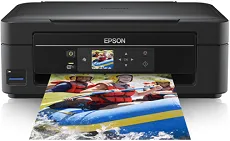
Epson Expression Home XP-302 is an impressive printer for photo printing through the modern Epson Micro Piezo print head. Also, a print technology comprises 180 nozzles for black printing and 59 nozzles for color printing. The minimum ink droplet size is about three picolitres, while it has variable-sized droplet technology. The ink technology is the Claria home ink with a maximum printing resolution of up to 5760 x 1440 dots per inch (dpi).
Epson Expression Home XP-302 Drivers for Windows
c2d92dbc2df45f23e422f3b4f69a4a3393935230656f33d68bbf23c163294e2c0a5526b479b619a1466767e86c8a5c2f900cc7e9169933a041be463ef9111fc6ac14a2ac5c8d84d72daefe653fdf4c0b4a10d69d70886146c99d5e5924f956c4fa5b5b16613222e7e58b0e6ee417a15601df4dd00148222a8095908bcf3fc4feEpson Expression Home XP-302 Drivers for macOS
e43e9a621d6bdc2ea0173ac0bcd70ad8b48b170c7cc7a19e14100e0fe94c4c41562a25dc4e98b70bb2be36f324219e68b90f524b630cb05bcb8d2828a684b79270c967da4e8c22b08defe1a636c71763734fb93edf607be9664f1c16520a2b75ccce93eb0c214f2b055c898fb78f4f02b12b7c13ccf2d47b54d5740f21c8c44590071b11984600791b1ab1b58f654ee83a3a90fed5e5b6be2162f41461badfc735fb1e7da77e9c547de0b1b8e37a90b6d733e6bc918a03069e0b930a610bb743Epson Expression Home XP-302 Specifications
As a multifunction device, it can print and scan documents at exceptional quality and speed. It also has two printing modes, such as the ISO/IEC 24734 standard mode and the normal mode. The print rate is 8.7 pages per minute (ppm) for black and white or monochrome documents in the former. On the other hand, color documents run at the speed of 4.5 ppm. The rate is up to 33 ppm for monochrome documents on plain paper at regular printing.
The color printing speed in this mode is up to 15 ppm. But when printing on photo paper, the print rate is up to 38 seconds for photo paper such as the Epson Premium Glossy photo paper. It supports black, cyan, magenta, and yellow colors. Generally, the print speed also depends on the document’s complexity and the paper size in use. The optical resolution is up to 1200 x 1200 dpi for horizontal and vertical dimensions under scanning.
The standard paper sizes for Epson Expression Home XP-302 include the A4, A5, letter, legal, photo paper sizes, A6 and B5. Under the duplex mode, the standard tray can hold up to 100 sheets of plain paper or 20 photo paper sheets. The supply voltage into the machine is within the range of 100 to 240 volts AC with 50/60 Hz frequency.
Technical Details
| Title | Epson Expression Home XP-302 Drivers |
|---|---|
| Device Type | All-in-one printer |
| Driver Version | Varies by driver and operating system |
| Available Downloads | Drivers |
| License | Free |
| Manufacturer | Seiko Epson Corporation |