
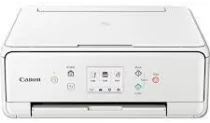
The Canon PIXMA TS6151 printer model supports wireless work, printing, copying, scanning, and cloud link. Moreover, this Canon PIXMA TS6151 comes with an internal driver for automatic duplex printing on selected paper sizes. The white-colored device has tremendous ability to produce high-quality output at great speed. The optimum print resolution of the machine is up to 4800 x 1200 dots per inch (dpi).
Canon PIXMA TS6151 Drivers for Windows
1d099981188c421f3794d57e77ef7586602a661d9c998205df8e0da64b43cefdb7f33740a0cf284ca58e6c3d2c5cac0ea43eb5b0b0c9c850e5240dbbc29c024336cd143b118687a6b3e30fa9c598c8d48e6ca1c3121370b699615f7f1f59607d8dd427942e8e31c574841b714286f9171dafe7b49dd781ec9b62ff0cc61cf1a415e26104a051d3f79061242bb8114e3d81f35bbe709d14bb07a6284eb01471d0Canon PIXMA TS6151 Drivers for Linux
d90c16e3050e9676db51d3db4b1157416d2cc950b2f2e8b9f0d4c178a94cbbd0b64c5ad1020ed378b4887ffe802780245c1689f990d4fd127906ec4f9b44f171ac060408ffcd30c1c7ea9d6cfbed897cfad9418662c8d1ec4cd0e58ee067afec4a500f4c62fa30f4ded100aa07c95f3ee24ec1afbf2269222fc7801399b19b0a506b355b40e6175e30d7f7a864e841553f707bbc8b67cdc09de87ad17c0fffad59ce562aee8f079d7d95091a8d51c383f5a7aa88787c5ca8f59adc5640dee278It also contains five individual ink tanks for pigment black, cyan, black, magenta, and yellow. In addition, the ink type, in this case, is the ChromaLife100 inks. In printing, the approximate speed is 15.0 images per minute (ipm) for monochrome or black printing. However, color printing has a print rate of 10.0 ipm, while borderless printing runs at a flat rate of 37 seconds. The compatible cartridge model types include the following:
– PGI-580PGBK for pigment black
– CLI-581BK for black
– CLI-581BY for yellow
– CLI-581BC for cyan
– CLI-581BM for magenta
Meanwhile, the XL series has optional cartridge models that can produce more than the standard cartridges. This Canon PIXMA TS6151 machine supports the contact image sensor (CIS) element when scanning and is also a photo and document scanner. In addition, the scanning speed is approximately 14 seconds, while the scanner’s optical resolution is up to 1200 x 2400 dpi. Besides, the scanning depth for input/output is about 16 bit/8 bit for both color and grayscale.
The maximum document size is about 216 x 297 mm. The copy functions include document copying, photocopying, borderless copy, 2-sided or duplex copying, frame erase copy, and ID copy. It also supports a multiple copy mode for up to 99 copies at best capacity. Furthermore, the first copy out time is about 19 seconds, while subsequent pages run at 6.5 ipm. At the same time, the copy zoom range is between 25 and 400% in 1% gradual increments.
Technical Details
| Title | Canon PIXMA TS6151 Drivers |
|---|---|
| Device Type | All-in-one printer |
| Driver Version | Varies by driver and operating system |
| Available Downloads | Drivers |
| License | Free |
| Manufacturer | Canon Inc. |