
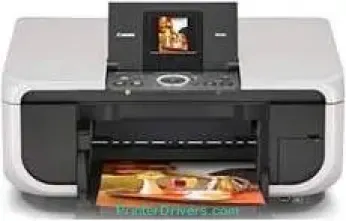
Canon PIXMA MP600R printer model is a color bubble jet machine that is ideal for its duties and performance. The speed of the printer’s performance relates to the print mode of color or black/monochrome. Black printing at the normal mode is up to 30 pages per minute (ppm), which is about 2 seconds per page. On the other hand, color printing is as fast as 2.5 seconds per page, up to 24 ppm. The total number of nozzles in this printer is about 3584, which comprises 512 nozzles for black and yellow.
PIXMA MP600R driver Downloads for Microsoft Windows 32-bit – 64-bit and Macintosh Operating System.
Canon PIXMA MP600R Drivers for Windows
f23b600e947aa6e73f1775f65deed213e17dbc11947290d3ecfcdc8e13c696813f37e7e51c55cefa9310818e2040945dd926f32d5dbcda9d79306dbfd79b3f05f5bf2b7ffe1685876fca3dd3d33c5949d4dcc8f3f5bcf67efaf56b68ff6994d2fe702b672659babf773ac46c3205ec4da8460021a774057b5e9b2e4d6835d083689a20c7314b304d84e488e20c59e596ee504e55bc8a77c77003e6ef31e336d5Canon PIXMA MP600R Drivers for macOS
2db46a7a4c1d370c5bceff509ddc7704af9a005b88bc0db9d1bd8be18ae531fdf543ef08c95b01b477038eb6a1a977bd4bce5489d407cadca9e86de6cb3a39bd3702dfb69e39ececcfe1904efe91bde8b6a10e6f112bf74c424c037289e552908ddd832eaff752bbd37814f43bc0d3088cd2b687afc164840ac23f5a93b22c60Canon PIXMA MP600R Supported Ink Cartridges
Ink Cartridge Black CLI-8BK yields up to 1100 Pages, Cyan Ink Cartridge CLI-8C Approx. 390 Pages, Ink Cartridge Yellow CLI-8Y approx. 280 pages, Ink Cartridge CLI-8M Magenta up to 250 Pages, Pigment Black Ink Cartridge PGI-5BK approx. 800 Pages
Specifications
The printer resolution for black printing is about 600 x 600 dots per inch (dpi), and color printing has 9600 x 2400 dpi. While copying, the zoom range is between 25 and 400% for the minimum and maximum levels, respectively. But the copy speed for black copies is up to 30 copies per minute (CPM), which is about 2.0 seconds per page. If the copied pages are in color, the printer works at the rate of 2.5 seconds per page (about 24 CPM).
Some of the notable related features to the copy function include borderless copying, auto exposure (AE), 4-on-1, 2-on-1, and fit-to-page. At the same time, there are image repeat, auto magnification, fading correction, and multiple copies between 1 and 99 pages. While scanning, the machine uses the contact image sensor (CIS), an exceptional feature for optimum quality. It also produces optical and interpolated resolutions of 2400 x 4800 dpi and 19200 x 19200 dpi.
The machine supports the use of the direct print port for connecting cameras to print photos. The media card is compatible with CompactFlash, MicroDrive, SmartMedia, Memory Stick, Memory Stick Pro, and MultiMediaCard. If the user adds the special adapter, the machine can also work with the xD-Picture card and memory sticks pro duo.
Technical Details
| Title | Canon PIXMA MP600R Drivers |
|---|---|
| Device Type | All-in-one printer |
| Driver Version | Varies by driver and operating system |
| Available Downloads | Drivers |
| License | Free |
| Manufacturer | Canon Inc. |