
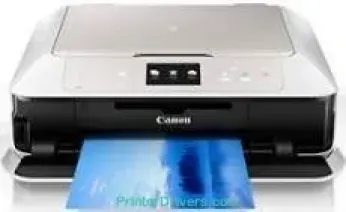
Users with the Canon PIXMA MG7540 printer model will enjoy maximum photo print performance from the PIXMA printer model. The principal functions remain printing, copying, scanning, wireless, or Ethernet printing with a cloud link. At the same time, the print resolution is up to 9600 x 2400 dots per inch (dpi) at the optimum level. Also, the print technology comprises 6 different individual ink tanks with diverse color compatibility.
PIXMA MG7540 driver Downloads for Microsoft Windows 32-bit – 64-bit and Macintosh Operating System.
Canon PIXMA MG7540 Drivers for Windows
09569ef65428fbf9b2ef58d30819e76257b18991fb35a7be7434f75e59532155da2400b1b405bd2a0fd62b8be3ef8ebce395630b7d9be39ea384645b8637593f61256df4810b009bd325b52812fe5d71be65c1a7874e87716ed88242ed9163d18dd427942e8e31c574841b714286f9171dafe7b49dd781ec9b62ff0cc61cf1a415e26104a051d3f79061242bb8114e3d81f35bbe709d14bb07a6284eb01471d0Canon PIXMA MG7540 Drivers for macOS
4a0a4bfae907df5974d30ef9fd720e6c73d108ac3d395a9c39d1cd1bbb4c6d1703bb978f78095266ed2f4388d6b99dfdcb0d6e7831de915b42055f29df387b6405dbbd9e50f894b5930a1253802233f2340dbca1a3a361afd0665420226ef62f1afeb535ed397255d08a42020061171252a1a3849ea8a8a96d7cfaa19ec0d7ac8946a6442a6cae0e5642f76103e12a7bbc9855fe176f36a73fd5777f10b8e9a9Canon PIXMA MG7540 Drivers for Linux
07a441231fa9e7cc7c32e1ef126916ab54945382facf01e68a00785beacebf92e5bbd191ec8b36a204cc2c8c2468d1ee1050ea53b68b304c5c268eda8537f51c42a5c9e956c701f88537471eb1054f38a293e3df4396cdb337c0c3ecdcaa5ae4015e689b9106804871be22771742a2c5046ee40f89bf856058036c909055bdf15482b5bac88cc7a857a527573de16a95c7bfae5d3fac9efd7c5dbd957cc59c8c468103a27a4bfeb20f9233c45f97afa807091ca97255b94b129402a00a56cb20Canon PIXMA MG7540 Supported Ink Cartridges
Ink Cartridge Pigment Black PGI-450PGBK, Yellow Ink Cartridge CLI-451Y, Ink Cartridge Cyan CLI-451C, CLI-451BK Ink Cartridge Black, Magenta Ink Cartridge CLI-451M, Ink Cartridge Grey CLI-451GY
Specifications
The print head is of the inkjet FINE type, while the minimum ink droplet size is one picolitre (pl). It also uses the ChromaLife100+ inks for the best quality of both color and monochrome print. Besides, the monochrome printing runs at the rate of 15.0 images per minute (ipm) when using plain paper. On the other hand, color printing has a speed of 10.0 ipm, while the borderless printing rate is 21 seconds. This borderless printing is compatible with A4, letter, and photo paper sizes.
The Canon PIXMA MG7540 printer model is compatible with PGI-450PGBK, and the CLI-451BK/C/Y/M/BK/GY for different colors. There is also auto-duplex printing that performs printing on both sides of the page. Also, there is direct disc printing through a specialized tray. The machine is compatible with plain paper, envelopes, Canon pro platinum, pro luster, and Canon plus glossy II. Other paper types are Canon matte, high-resolution paper, photo stickers, t-shirt transfer, and excellent art papers.
Canon PIXMA MG7540 printer model has a contact image sensor (CIS) flatbed photo and document scanning component. It also has a scanning optical resolution of 2400 x 4800 dpi while the maximum speed is approximately 14 seconds. The printer’s maximum document size is 216 x 297 mm, while the scanning depth also differs. Color scanning depth for input/output is about 48bit/24bit, while greyscale is 16bit/8bit.
Technical Details
| Title | Canon PIXMA MG7540 Drivers |
|---|---|
| Device Type | All-in-one printer |
| Driver Version | Varies by driver and operating system |
| Available Downloads | Drivers |
| License | Free |
| Manufacturer | Canon Inc. |