
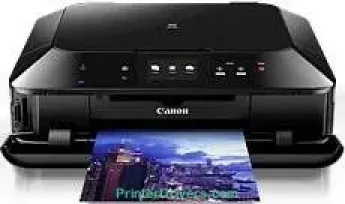
The Canon PIXMA MG7150 printer model is a fantastic product with highly impressive quality and speed. It can print, copy, and scan through the Wireless and Cloud link features. The resolution is up to 9600 x 240 dots per inch (dpi) in the standard mode. The rate of monochrome printing reaches a level of 15.0 images per minute (ipm). Color printing, on the other hand, has a speed of 10.0 ipm at the standard rate.
Canon PIXMA MG7150 driver Downloads for Microsoft Windows 32-bit – 64-bit and Macintosh Operating System.
Canon PIXMA MG7150 Drivers for Windows
6b3447e4beb1a661c042742889be67a640d4ab637c391b086aefadda7eba389ca93507ecdcbd28e535c06e7d9570d74e5c9dd17d67113f5ad72880a2520c47f019fc2c28a796185e729c4d603538dd3758bf1a83ec0a13c8946100967da880c2Canon PIXMA MG7150 Drivers for macOS
1133f560503d44cd2718b4df2df8f3b7bc6e4c38b54556d5729729b9ef8bd73afdd7ff50317553b7e1245c4fdfa44d03fb2a622cfb3ab4659be6ee4a10b094b013711251ce050a3cc52833d587d8d035b7b8b223420813a96274738d59de35fe806327eca528d000b69de6f98a97e326e6d01e013ea0abe1a0d55d2d850b2414ebe548c44f78b0d7152c3b6a087de034f1ed4d7e0ab1ad1966032128d9c0c83cCanon PIXMA MG7150 Drivers for Linux
08d40e954d04b17a116643aa446a8ac068619f6b6b69729a12c6685ac289063cf781e7ab97d9dc61bad3abf5a2e48226cd5e7c13841b8794ad547f50b95e3938f722567b3c24dd12a07ca00952a09859cff875585e794f15dc1814c45f5d02bc4d51c6f0925029a6bb477821a490b2aa008b321b9bc08b3a4e8467cf1032fcf401dfc1fb4ba4b2cbc90e7a818a672b5f7e601cd5af5377431bfa94b51617bb41a5741c9f7219f02b68b53cd295d695a7782e070f7e681634f06cd15eefae2a6cCanon PIXMA MG7150 Supported Ink Cartridges
Pigment Black Ink Cartridge PGI-550PGBK, Yellow Ink Cartridge CLI-551Y, Ink Cartridge Cyan CLI-551C, CLI-551BK Ink Cartridge Black, Magenta Ink Cartridge CLI-551M, CLI-551GY Ink Cartridge Grey
Specifications
It functions with a tremendous print technology that has six individual ink tanks for different colors. The thermal inkjet technology has the FINE print head type with a minimum ink droplet size of 1 picolitre (pl). Besides, the ink type is the ChromaLife100+, which characterizes optimum print quality and speed. It is also compatible with the PGI-550PGBK for pigment black and CLI-551BK/C/M/Y/GY for other consistent colors.
Its lower cassette can hold up to 125 sheets of plain paper. The upper cassette will hold 20 sheets of photo paper and a direct disc print tray for one disc. The paperweight support also varies according to the two different cassettes. For instance, the upper supports a maximum weight of 300 gsm for Canon photo paper. The machine Canon PIXMA MG7150 supports plain paper, matte, high-resolution paper, photo stickers, excellent art papers, plus semi-gloss, plus glossy II and platinum.
Scanning works using the CIS scanning element, which carries out both photo and document scanning. It produces a quality optical resolution of 2400 x 4800 dpi while the average speed is approximately 14 seconds. The scanning depth for color is 48bit/24bit, while monochrome depth is 16bit/8bit for input/output levels. Also, it has a maximum document size of 216 x 297 mm during the scanning process.
Technical Details
| Title | Canon PIXMA MG7150 Drivers |
|---|---|
| Device Type | All-in-one printer |
| Driver Version | Varies by driver and operating system |
| Available Downloads | Drivers |
| License | Free |
| Manufacturer | Canon Inc. |