
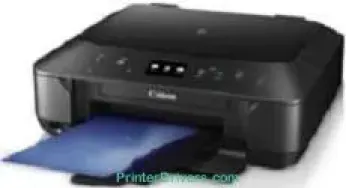
The printer has a typical operation panel that is up to 3 inches in width for the liquid crystal display (LCD). This feature also has a touchscreen component and shows the status of the machine in color. At the same time, it supports interface options such as the standard USB 2.0 hi-speed port. Besides, it also supports Wi-Fi 802.11 b/g/n for the wireless connection for effective printing. Canon PIXMA MG6670 printer model supports various operating system versions.
Canon PIXMA MG6670 driver Downloads for Microsoft Windows 32-bit – 64-bit and Macintosh Operating System.
Canon PIXMA MG6670 Drivers for Windows
53fd20eff47c666cde7c60416d2ad138b68675371b05661424c97e19a137bb6e55f26b20a9b88ee7c341dae28828d9b75e018ccb347690bd99795d7214b2d34b3c66677dc1085932f685638ce3cbcc15d53370067a89dd9090d28a011f3271ffa266e6692949f970ac22b6340bb207e0e8482a3710d88c3fd210911988d499ca40d1e263018308b04a02b63f8862e32e096c3ac0f66ae674fea59dcde7953950eefde66eab0e234f86fd23677b9fc69bf4972b70d8226d30d1d92c43c280215b8dd427942e8e31c574841b714286f9171dafe7b49dd781ec9b62ff0cc61cf1a415e26104a051d3f79061242bb8114e3d81f35bbe709d14bb07a6284eb01471d0Canon PIXMA MG6670 Drivers for macOS
0b4dceed5a1a0fec9b5b55b84747a57e8b6e7a1515ce61fcc7ab61cbd954a0259bb6aad504e6d0dd23e73ded79235290295e11d7018aedc4e8b288560f9c4f814d6b6e2a7776bceaadc170485a41aaee2025bc2ff940162a966ee631ab790ff41afeb535ed397255d08a42020061171252a1a3849ea8a8a96d7cfaa19ec0d7ac8946a6442a6cae0e5642f76103e12a7bbc9855fe176f36a73fd5777f10b8e9a9afce90154687048e62be46738988a2151bddaf932552ab95bd166aafb0bd5b86Canon PIXMA MG6670 Drivers for Linux
07a441231fa9e7cc7c32e1ef126916ab54945382facf01e68a00785beacebf92e5bbd191ec8b36a204cc2c8c2468d1ee1050ea53b68b304c5c268eda8537f51c42a5c9e956c701f88537471eb1054f38a293e3df4396cdb337c0c3ecdcaa5ae4015e689b9106804871be22771742a2c5046ee40f89bf856058036c909055bdf15482b5bac88cc7a857a527573de16a95c7bfae5d3fac9efd7c5dbd957cc59c8c468103a27a4bfeb20f9233c45f97afa807091ca97255b94b129402a00a56cb20Canon PIXMA MG6670 Supported Ink Cartridges
Ink Cartridge Pigment Black PGI-750BK, Black Cartridge CLI-751BK, Cyan Ink Cartridge CLI-751C, Ink Cartridge Yellow CLI-751Y, CLI-751M Ink Cartridge Magenta.
Specifications
The compatible OS versions include Windows 8.1, 8, 7 SP1, Vista SP1/SP2, XP SP3 for 32-bit versions. Apart from the Windows OS versions, the machine is also compatible with Mac OS X 10.6.8 to 10.10. In physical dimensions, the device has a width of 455 mm and a depth of 369 mm. It also has a height of 148 mm with a weight of up to 6.4 kg. Canon PIXMA MG6670 supports a power source with a voltage between 100 and 240 volts.
In terms of power consumption, the machine uses various power levels. The standby mode uses about 0.9 watts, while the ‘off’ mode uses 0.2 watts. While copying, the rate of consumption is up to 12 watts. Besides, the Canon PIXMA MG6670 printer model has a one-year warranty and a free pickup service. It has an auto sheet feeder with a front tray that can accommodate 100 sheets of plain paper.
It also supports mobile printing with features such as PIXMA print from email, Apple AirPrint, and Google Cloud Print™. Other features include PIXMA Touch & Print NFC Wireless Print, Mopria Wireless Print, and PIXMA Printing Solution. During the scanning process, the output resolution is up to 1200 x 2400 dpi with the CIS scanning element. Similarly, the scanning speed is up to 14 seconds per page.
Technical Details
| Title | Canon PIXMA MG6670 Drivers |
|---|---|
| Device Type | All-in-one printer |
| Driver Version | Varies by driver and operating system |
| Available Downloads | Drivers |
| License | Free |
| Manufacturer | Canon Inc. |