
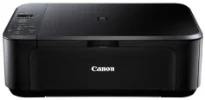
The Canon PIXMA MG2150 printer model is an exceptional machine that can produce impressive print quality at great speed. Besides, the device’s functions include the ability to copy, print, and scan documents. Simultaneously, the optimum print resolution is up to 4800 x 1200 dots per inch (dpi). Some of the print engine features include thermal inkjet print technology, two FINE cartridges, and a 4-color system.
Canon PIXMA MG2150 Drivers for Windows
4149e764d82d63f0f0b45d0272ec69cd354f390738df7c37f0c100a4ed89ccbd7f785edeb27d4f488cf89cf8e92e7f38aa83faf43fc0f7da26547a9bf0436cb627d4fb76c58c69e8c8f609f228ef5145d21e59a116931784e1e7327d9f09ff53Canon PIXMA MG2150 Drivers for macOS
675731429348ad2d00ad252ed8b3467dc2789de92a703080ba210adfb870be4992599a824b3d0d38ee1fbe1267922486fffa7ba4fa1af96f97e0242fea83d8d246f2ee20e30775cc10b101c189700f18b5a8386f688a1fa939ff7cd3b9f2a6a3f0d10dfbf1fba5a7f40826b8f03efef76d39a1ba362fc607d2bff8b64f327f955676576ac59bcf010230b04e385525a8eaa737c040a6f5f502735a087016c3ffb4c619b3c1a6d1c86d560f38b55a0d20ff3256a23fe440ee2cbf37274ac23754Canon PIXMA MG2150 Drivers for Linux
3cb2bdf1addd8c5f759560a2b0bcc7f662eda0791061be09d81c4bd29540a84e699e4cdc3f6ffd8de3bd09dfa161940b7a8668e9d13f6e1a0c484276315500387e4f91a0aebfa32d75da046a20bab992bd6032bb2069cf0091e77d8119a489dec426c61fc046e1218a2102059614d025a905db0f6e1583860eb9b08466643827bee1d954f1e1bf7d046a9087bb703943227d799a1b830724806b0405fcba0a66fdb124ece506b73157914e5efecbd9da8542d5a0a77af83505c9a48a9952717bCanon PIXMA MG2150 driver Downloads for Microsoft Windows 32-bit – 64-bit and Macintosh Operating System.
Ink Cartridge Details
Black PG-440 Ink Cartridge – Approx 200 Pages
CL-441 Tri-Colour Ink Cartridge – Upto 220 Pages
This print method has a minimum ink droplet size of 2 picoliters (pl) under normal circumstances. Besides, the photo lab-quality speed is approximately 44 seconds for borderless printing on 10 x 15 cm paper. Furthermore, the black and white printing with this device runs at an approximate speed of 8.4 images per minute. On the flip side, color printing runs at the rate of 4.8 ipm in the ESAT mode. The compatible FINE cartridges include the PG-540 for black and CL-541 for color printing.
Both the CL-541 and the PG-540 cartridge models can print up to 180 document pages each. On the other hand, the PG-540 cartridge model can print up to 1420 photos while CL-541 can print 67 photos. Apart from these two leading cartridges, the machine Canon PIXMA MG2150 can also work with optional XL cartridge models for higher yield. The machine’s supported media types include plain paper, envelopes, photo paper pro platinum, photo paper plus glossy II, and high-resolution paper.
Other compatible media types include photo paper plus semi-gloss, glossy photo paper, matte photo paper, t-shirt transfer, and photo stickers. This machine’s main input tray’s maximum capacity is not more than 100 sheets of plain paper. However, the recommended standard media sizes include A4, A5, B5, legal, letter, DL envelopes, commercial envelopes, and photo sizes. This machine model supports a range between 64 and 105 gsm for plain paper regarding the media weight.
Technical Details
| Title | Canon PIXMA MG2150 Drivers |
|---|---|
| Device Type | All-in-one printer |
| Driver Version | Varies by driver and operating system |
| Available Downloads | Drivers |
| License | Free |
| Manufacturer | Canon Inc. |