
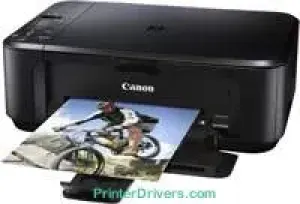
The Canon PIXMA MG2140 printer model is a multifunction device that can print, copy, and scan documents with excellence. It has an optimum print resolution of up to 4800 x 1200 dots per inch (dpi). However, some of the print engine components include two FINE cartridges and a 4-color ink cartridge system. The cartridge system has a minimum ink droplet size of up to 2 picoliters (pl) with a ChromaLife100 ink system.
Canon PIXMA MG2140 driver Downloads for Microsoft Windows 32-bit – 64-bit and Macintosh Operating System.
Supported Ink Cartridges
Black PG-440 Ink Cartridge – Page Yield upto 400 Pages
CL-441 Tri-Colour Ink Cartridge – Approx 220 Pages
Canon PIXMA MG2140 Drivers for Windows
4149e764d82d63f0f0b45d0272ec69cd354f390738df7c37f0c100a4ed89ccbd7f785edeb27d4f488cf89cf8e92e7f38aa83faf43fc0f7da26547a9bf0436cb627d4fb76c58c69e8c8f609f228ef5145d21e59a116931784e1e7327d9f09ff53Canon PIXMA MG2140 Drivers for macOS
675731429348ad2d00ad252ed8b3467dc2789de92a703080ba210adfb870be4992599a824b3d0d38ee1fbe1267922486fffa7ba4fa1af96f97e0242fea83d8d246f2ee20e30775cc10b101c189700f18b5a8386f688a1fa939ff7cd3b9f2a6a3f0d10dfbf1fba5a7f40826b8f03efef76d39a1ba362fc607d2bff8b64f327f955676576ac59bcf010230b04e385525a8eaa737c040a6f5f502735a087016c3ffb4c619b3c1a6d1c86d560f38b55a0d20ff3256a23fe440ee2cbf37274ac23754Canon PIXMA MG2140 Drivers for Linux
3cb2bdf1addd8c5f759560a2b0bcc7f662eda0791061be09d81c4bd29540a84e699e4cdc3f6ffd8de3bd09dfa161940b7a8668e9d13f6e1a0c484276315500387e4f91a0aebfa32d75da046a20bab992bd6032bb2069cf0091e77d8119a489dec426c61fc046e1218a2102059614d025a905db0f6e1583860eb9b08466643827bee1d954f1e1bf7d046a9087bb703943227d799a1b830724806b0405fcba0a66fdb124ece506b73157914e5efecbd9da8542d5a0a77af83505c9a48a9952717bCanon PIXMA MG2140 Specifications
Its photo lab quality speed is approximately 8.4 images per minute (ipm). The component FINE cartridge models include the PG-440 and CL-441 models. These cartridges are for black and color printing, respectively. Simultaneously, the PG-440 model can produce up to 180 pages of documents or 1420 photos. On the other side, the CL-441 cartridge model can also print 180 pages or form and 67 images. However, the XL versions of both cartridges can produce more output.
The maximum input paper loading capacity is up to 100 sheets. The supported standard media sizes include A4, A5, letter, legal, B5, DL envelopes, and photo sizes. Its media weight range is between 64 and 105 gsm for plain paper. This machine is a tremendous tool for two-sided printing through a manual operation. Scanning with this device also works through the flatbed color-imaging sensor (CIS) scanner. The maximum scanning resolution is up to 1200 x 2400 dpi.
Besides, scanning depth through the flatbed mode has 48-bit input and 24-bit output gradients. It is also compatible with the TWAIN/WIA with practical A4 to letter-sized paper. Some of the other outstanding printer features include borderless printing, fit-to-page print, scaled print, multiple-page-per-sheet print, and booklet print. Others include poster print, image optimizer, and a collating part.
It also has an OCR bundle with an MP Navigator EX. Some of the other scan methods and enhancements include push-scan, auto scan mode, and PDF file creation with optional password security.
Technical Details
| Title | Canon PIXMA MG2140 Drivers |
|---|---|
| Device Type | All-in-one printer |
| Driver Version | Varies by driver and operating system |
| Available Downloads | Drivers |
| License | Free |
| Manufacturer | Canon Inc. |