
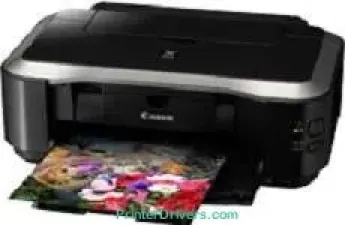
In an ideal printing or operating environment, the Canon PIXMA iP4850 printer model allows a temperature between 5 and 35°C. In addition to this feature, the allowed operating relative humidity is between 10 and 90% with no dew condensation. The acoustic noise level of the printer is up to 46.5 dB (A) at the machine’s optimum performance. These printing features apply to the ISO/JIS-SCID N2 pattern on appropriate photo paper sizes.
Canon PIXMA iP4850 driver Downloads for Microsoft Windows 32-bit – 64-bit and Macintosh Operating System.
Canon PIXMA iP4850 Drivers for Windows
223ccd96a217808091cbb77317b33025418d0be02c7a7f5a67a6feba551f4851ef46c1e45f81af83c583f22568ca595629a1f5a29ebf1c7257b0042356fb89f8b4fef1e36960623d6f89da5e3ec3b617272b59952f9a9985faf14e124eb98dcbCanon PIXMA iP4850 Drivers for macOS
dce6926be506838f5b7410a9b1af8623679c699815b7604dd5231a061b05cd61c8179adebb0de4b29e2e30566421439f19ac0f89b998404c74705af4cedbe1c3Canon PIXMA iP4850 Drivers for Linux
678371bdc879677a83dcc6141416fc423f3e849cbc68cebf3bb288ce01e22db3a95dd4ca491a9e8acc3e4ee35cc84904680e82d89ff04a23dda1b0ccffbb8a7aCanon PIXMA iP4850 Supported Ink Catridges
Pigment Black Ink Cartridge PGI-525PGBK, Black Ink Cartridge CLI-526BK, Ink Cartridge CLI-526C Cyan, Magenta Ink Cartridge CLI-526M, CLI-526Y Yellow Ink Cartridge
Specifications
In the physical dimensions, the machine Canon PIXMA iP4850 has a width of 431 mm, a depth of 297 mm, and a height of 153 mm. The device also weighs 5.7 kg, which is ideal for its shape, size, and portability. This machine supports a voltage between 100 and 240 volts at 50/60 Hz frequency in terms of the power specifications. However, the rate of using that power depends on the printer’s current status as well as the user’s choice.
Related Printer :Canon PIXMA iP2680 Driver
For instance, when the machine is in the standby mode, the power usage is up to 1.1 watts. But with a USB connection to the PC, the rate of usage is about 0.4 watts for the ‘off’ mode. At the same time, the printing mode allows power usage of up to 17 watts. Besides, the driver features include the ability to collate, multiple pages per sheet print, booklet print, and the poster print. Other driver features include the scaled print, fit-to-page print, photo noise reduction, and photo effects.
The Canon PIXMA iP4850 model can also work with Windows 7 (32 and 64-bit), Vista (32 & 64-bit), and XP. Apart from the Windows OS versions, the device is also compatible with Mac OS X v10.4.11 to 10.6 versions. Each of the operating systems has varying minimum system requirements for installation before the machine can work correctly.
Technical Details
| Title | Canon PIXMA iP4850 Drivers |
|---|---|
| Device Type | Printer |
| Driver Version | Varies by driver and operating system |
| Available Downloads | Drivers |
| License | Free |
| Manufacturer | Canon Inc. |