
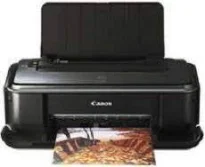
The Canon PIXMA iP2680 model of printer is an excellent choice for photo printing at optimum performance. It also produces a resolution of 4800 (horizontal) x 1200 (vertical) dots per inch (dpi) according to the ink droplet. Similarly, the machine places the ink droplets with a pitch of 1/4800 inch at minimum. At the same time, the device supports the use of the standard USB 2.0 hi-speed port as the interface connector.
Canon PIXMA iP2680 Drivers for Windows
92293086dbc5c06cca8f0277aa60570412fc650b122904f2851ee3249f9e654c629772beb711b41a2a3155a29e0612325955a53084992d18d6a4257017dc916ef5bf2b7ffe1685876fca3dd3d33c5949d4dcc8f3f5bcf67efaf56b68ff6994d2Canon PIXMA iP2680 Drivers for macOS
3e1a2861bcc9da59fa590f32428d968c50e2b6239a861b29788cda5c0499a552f990eaff7dd5bc14bccf1015cf1a84298ebcf9c1795006323586caf18059d1f7570da622cdfe843f8aa5962095219046ded906d8d202f0c771b32f4dd1ca12a8Canon PIXMA iP2680 Drivers for Linux
c663df85dc55bfd0c8601362d1e3f7327de6c7d9b602b6246b803ee3f5cebaa227ddae7898d5b0acd597904ffdf322b350b0c7475fc021c69849689836a46f13ce5313b5ac81b2643b9289d471a7cd88c670eff0a986640253468c7ca2a54adbCanon PIXMA iP2680 Supported Ink Catridges
Black Ink Catridge CL-831, Colors Cyan, Yellow, Magenta Ink Catridges CL-831, Pigment Black Ink Catridge PG 830
The print width for bordered printing is about 8 inches, which is almost 203.2 mm at maximum reach. On the other hand, the borderless printing reaches about 8.5 inches, which is equivalent to 216 mm. In terms of the acoustic noise level, users can expect approximately 43 dB (A) at the highest print quality. This case is also especially true for printing on Photo Paper Pro. Besides, it supports a power supply range between 100 and 240 volts for 50/60 Hz.
Apart from the power supply, power consumption is a factor of the printer mode per time. For instance, when the printer is performing the printing operation, the power usage is approximately 7 watts. But the standby mode requires a minimum power of 1 watt while ‘off’ mode uses about 0.6 watts. The printer Canon PIXMA iP2680 also has some external features that include a width of 17.4 inches and a depth of 10 inches. Its height is about 5.6 inches, while the weight is 3.7 kg.
For this printer to perform at an optimum level, the operating environment’s temperature should be between 5 and 35°C. At this same level, the machine approves of relative humidity between 10 and 90% with no condensation. On the other hand, the storage specifications include a temperature of 0 to 40°C. Also, the relative humidity in storage is between 5 and 95%, with no condensation.
Technical Details
| Title | Canon PIXMA iP2680 Drivers |
|---|---|
| Device Type | Printer |
| Driver Version | Varies by driver and operating system |
| Available Downloads | Drivers |
| License | Free |
| Manufacturer | Canon Inc. |