
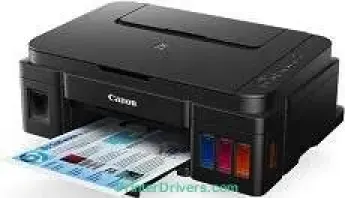
Canon PIXMA G3600 represents a traditional family of Canon printers that produce excellent print output quality at high speed. It uses the modern FINE cartridge type, which is ideal for top-quality productivity. Also, the printing resolution for this device reaches a level of 4800 x 1200 dots per inch (dpi). The print speed of the machine depends on the document print mode. For instance, when printing in black and white, the rate is about 8.8 images per minute (ipm).
PIXMA G3600 driver Downloads for Microsoft Windows 32-bit – 64-bit and Macintosh Operating System.
Supported Ink Cartridges
GI690 Black Ink Cartridge – Upto 6000 Pages
Cyan Ink Cartridge GI690 – Yields approx 7,000 Pages
Magenta GI690 Ink Cartridge – Page Yield upto 7,000 Pages
GI690 Yellow Ink Cartridge – Approx 7,000 Pages
Canon PIXMA G3600 Drivers for Windows
d1402a598c24666537d267190a6730dceee9b9ccd7c679f662bc053494382900a0530417ca2630e9c25b127178327152346b15b7dd3364c7a162cab40232903efe0231cf7eb28e1bfa095f4cc5b11ee6a0006c95ea5dec153ff9e79f41af1da08dd427942e8e31c574841b714286f9171dafe7b49dd781ec9b62ff0cc61cf1a415e26104a051d3f79061242bb8114e3d81f35bbe709d14bb07a6284eb01471d0Canon PIXMA G3600 Drivers for macOS
d9ce54510e927ae0c77f906d176208eefea56817abd23d7fe0dbdae97a859a4910725712df7de9fe9446fbcfc55f78752be9386e3bc51ffff599ae2cafee9259c70349786e1909788435c4da6eec8a8622fb71711807754a6a207c080e91d97b511df8199951cd3d48d92469449ac548989fe9c193a242788e3d2a509047e624Canon PIXMA G3600 Drivers for Linux
c734410e193a8f804762f74b1654c93c3edc86b89acb0985f70474896f1f0ab6efb7285486c00b883d00df36762448a786d3935c318ed68a6335092545b6c3b66a4dae55415f28b7f60f0c0e9761219007225f7a15748c6cd14b199917ff4e87a2b259b917843e101e87ec6a1f5893a5101223d527fe67393636f608de0dd623faa3787a330752849815775cfac08eaae801d3de5b2ba5df06049bea910b6304b78f1e6c9d6d38a6ef2a9ef04499bef67d4494ec98e55c9338c58b56ef60517fCanon PIXMA G3600 Specifications
Conversely, color printing has an average speed of 5.0 ipm, while photo printing has an average of 60 seconds. Borderless printing is compatible with the A4, letter, photo sizes, and business card sizes. This mode also allows a top margin of 3 mm and a bottom margin of 5 mm. However, the left and right margins of the print page are about 3.4 mm. When using plain paper, A4, A5, B5, and letter-sized carry loading capacity of up to 100 sheets.
The supported paperweight for plain paper is within 64 and 105 gsm except for the Canon specialty paper. In other words, Canon specialty paper allows a maximum weight of 275 gsm with the TCP/IP protocol. Connectivity is basically through the wireless LAN, USB, and Wired LAN ports. The wireless LAN security includes WEP64/128bit, WPA-PSK, and WPA2-PSK. At the same time, the wireless LAN network type includes IEEE802.11n/g/b.
Under the copying function, the Canon PIXMA G3600 model produces the first copy out page in 24 seconds. However, the subsequent pages come out at the rate of 2.5 ipm. This mode also supports multiple copies with up to 21 produced pages of both black and color documents. When the printer is in the scanning mode, it can provide a resolution of up to 600 x 1200 dpi.
Technical Details
| Title | Canon PIXMA G3600 Drivers |
|---|---|
| Device Type | All-in-one printer |
| Driver Version | Varies by driver and operating system |
| Available Downloads | Drivers |
| License | Free |
| Manufacturer | Canon Inc. |