
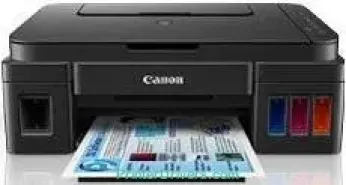
Users that acquire the Canon PIXMA G3500 printer model are in for fantastic print features for best photo print quality. The machine’s main features include print, copy, and scan, using Wi-Fi and Cloud Links. The machine’s maximum print resolution is up to 4800 x 1200 dots per inch (dpi) for color and black documents. It also runs with two different FINE cartridges, which are for black and color printing, respectively. The ink tanks are refillable with a minimum ink droplet size of 2 picolitres (pl).
Canon PIXMA G3500 driver Downloads for Microsoft Windows 32-bit – 64-bit and Macintosh Operating System.
Canon PIXMA G3500 Drivers for Windows
d1402a598c24666537d267190a6730dceee9b9ccd7c679f662bc053494382900a0530417ca2630e9c25b127178327152346b15b7dd3364c7a162cab40232903efe0231cf7eb28e1bfa095f4cc5b11ee6a0006c95ea5dec153ff9e79f41af1da08dd427942e8e31c574841b714286f9171dafe7b49dd781ec9b62ff0cc61cf1a415e26104a051d3f79061242bb8114e3d81f35bbe709d14bb07a6284eb01471d0Canon PIXMA G3500 Drivers for macOS
c70349786e1909788435c4da6eec8a8622fb71711807754a6a207c080e91d97bd9ce54510e927ae0c77f906d176208eefea56817abd23d7fe0dbdae97a859a4910725712df7de9fe9446fbcfc55f78752be9386e3bc51ffff599ae2cafee9259511df8199951cd3d48d92469449ac548989fe9c193a242788e3d2a509047e624Canon PIXMA G3500 Drivers for Linux
c734410e193a8f804762f74b1654c93c3edc86b89acb0985f70474896f1f0ab6efb7285486c00b883d00df36762448a786d3935c318ed68a6335092545b6c3b66a4dae55415f28b7f60f0c0e9761219007225f7a15748c6cd14b199917ff4e87a2b259b917843e101e87ec6a1f5893a5101223d527fe67393636f608de0dd623faa3787a330752849815775cfac08eaae801d3de5b2ba5df06049bea910b6304b78f1e6c9d6d38a6ef2a9ef04499bef67d4494ec98e55c9338c58b56ef60517fCanon PIXMA G3500 Supported Ink Catridges
Pigment Black Ink Cartridge GI-590, Ink Cartridge Magenta GI-590, Cyan Ink Cartridge GI-590, Ink Cartridge GI-590 Yellow
Specifications
With print speed, monochrome printing is at the rate of 8.8 images per minute (ipm). However, color printing runs at a rate of 5.0 ipm. Photo printing in the borderless mode runs at approximately 60 seconds per page. By the way, this borderless printing supports the use of A4, letter, and photo paper sizes. Its compatible ink tank type is the GI-590 model with variations in pigment black, cyan, magenta, and yellow colors.
Some of the compatible paper types are the high-resolution paper, photo paper plus glossy II and plain papers. Other paper types include photo paper pro luster, photo paper plus semi-gloss, envelopes, and matte photo paper. According to the official yield estimates, the black cartridge will print 6000 pages while the color cartridge will print 7000 pages. The main paper tray will hold up to 100 sheets of plain paper for best print performance.
While scanning, the machine uses the CIS flatbed photo and document scanner to produce the best quality. This scanning process provides a maximum resolution of 600 x 1200 dots per inch (dpi). The scanning speed is also about 19 seconds per page approximately. However, the maximum document size in the scanning mode is about 216 x 297 mm. At the same time, the machine weighs about 5.8 kg by net weight.
Technical Details
| Title | Canon PIXMA G3500 Drivers |
|---|---|
| Device Type | All-in-one printer |
| Driver Version | Varies by driver and operating system |
| Available Downloads | Drivers |
| License | Free |
| Manufacturer | Canon Inc. |