
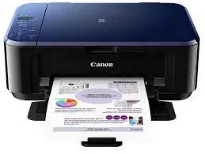
The Canon PIXMA E510 printer model is an exceptional machine with multifunction abilities that include printing, copying, and scanning documents. The printer’s work is par excellence with optimum performance as well as the speed. Similarly, when this machine connects with a PC, the option is through a standard USB 2.0 hi-speed port. In terms of the printing resolution of the device, the optimum quality is about 4800 (horizontal) x 1200 (vertical) dpi.
Canon PIXMA E510 driver Downloads for Microsoft Windows 32-bit – 64-bit and Macintosh Operating System.
Canon PIXMA E510 Drivers for Windows
ec60f105d56289b47bfd37d1fabc14c91f01e2d007a2becc06afe8fd25edf4982d703679b090813f4bf8bf2809bc020524bdff02cb0c0d2462cae8627a4e3bd08dd427942e8e31c574841b714286f9171dafe7b49dd781ec9b62ff0cc61cf1a415e26104a051d3f79061242bb8114e3d81f35bbe709d14bb07a6284eb01471d0Canon PIXMA E510 Drivers for macOS
b2c39973f10b7cae6d892fd033e4c580ab2716803f10ca69f2db8a0488de957a3cab243c46d6719a6edbf56a3ab68f598f3e34a843d1db91a08223c969b485a1206173e65e4ba741a315b761410f4d78006ab797469aacc24b88428d863b8110206173e65e4ba741a315b761410f4d78006ab797469aacc24b88428d863b81100c66ec78b6d45476184e7f9755204facf4baecbff0e1ba4798a677d6afb21b11f9acf998ff852878729932f84f6518b162fb768ff784400376c9b4bd99bc96ae85bbb86edbab1c23f80e43bff041dc34c6eab79a70b7266fa6466271b69880b23ad7f68b8bfa6da0d1e42d88d269234111bdd0e0b3390b6c94a99aea4fcf216785bbb86edbab1c23f80e43bff041dc34c6eab79a70b7266fa6466271b69880b2e0675c600d04e09ca5f47fdd6ee30b50b6dc4eab8609140fdbe0ef28e3ece507d98be1a8e7abbbed6e4a7fce6776c1ce9c3cf47280d031bb4d2f642bc16d395f925500bfea88020e6ada8b117d368d7095519798328a2470e563f31ec1830cc1Canon PIXMA E510 Drivers for Linux
1b895514b161b358f84fa62ca095db019035582b65f5dcbe5ac33ea97b3c65f8aaf8c50afc7dd863d2bb8fc15e543772c955865262ea41637d82cd06fe8374b18b6d408f18191f19465ee8fc31aa08455e8bec186fdd3f02ee822f53a9b086a9c1508378f097908d438f28a2daecffe2624f2b67de3b512b547ebac5f930c065dea259eb5161d4c36e1d10ffd1cd943bbe3434f8c4db1632106201517efa0e818ab1b3a357064715e97f58d95a10a350135272b1df37cf0428dc535eeb9779dcCanon PIXMA E510 Ink Catridge Details
Pigment Black Ink Cartridge PG-88, Cyan Yellow Magenta Colors Ink Cartridges CL-98
In the operating environment of using this machine, the operating temperature range is between 5 and 35°C. Also, its temperature, and the relative humidity of the machine environment, are between 10 and 90% with no condensation. On the other hand, the storage qualities demand a temperature between 0 and 40°C. Whereas, the relative humidity is between 5 and 95% with no dew condensation. It also supports an internal power supply, with a range between 100 and 240 volts at a frequency of 50/60 Hz.
Power consumption for the Canon PIXMA E510 model depends on the current mode of the device. For instance, printing or copying requires power usage of 12 watts, while the ‘off’ mode uses 0.3 watts. When the printer is in the standby mode, the minimum power consumption is about 0.6 watts with a standby mode that is not changeable. The Canon PIXMA E510 model has a width of about 17.7 inches, a depth of 12 inches, and a height of about 6 inches.
The printer weight is up to 11.7 lbs, which is only about 5.3 kg with the installed FINE cartridges. The total number of nozzles in the device is up to 1792 nozzles, which comprises 640 black nozzles. Besides, other nozzles include 384 nozzles each for cyan, magenta, and yellow colors. As a multifunction printer, this machine comes with a whole-year warranty.
Technical Details
| Title | Canon PIXMA E510 Drivers |
|---|---|
| Device Type | All-in-one printer |
| Driver Version | Varies by driver and operating system |
| Available Downloads | Drivers |
| License | Free |
| Manufacturer | Canon Inc. |