
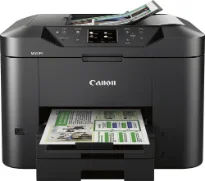
The Canon MAXIFY MB2320 model printer is another member of the MAXIFY printer series that returns a great value on the user’s investment. In terms of the printer’s speed, it largely depends on the print mode and the complexity of the documents being printed. The print rate is up to 15.0 images per minute (ipm). On the flip side, black documents print at the speed of 23.0 ipm under similar conditions.
Canon MAXIFY MB2320 driver Downloads for Microsoft Windows 32-bit – 64-bit and Macintosh Operating System.
Canon MAXIFY MB2320 Drivers for Windows
fa5f2fe135963ff61cac43464b4c1758283cbe5782f5506e9abbd710bae73dbf3e12d552be315668e6db8f8e8280b5f593414f336f62e761dad8d0fb98a9d59c76d00aa71bbe448667ca7bced90833417ce05acde782118a3ebee22c20df4e338dd427942e8e31c574841b714286f9171dafe7b49dd781ec9b62ff0cc61cf1a415e26104a051d3f79061242bb8114e3d81f35bbe709d14bb07a6284eb01471d0Canon MAXIFY MB2320 Drivers for macOS
e4abdc744ee85b9e9baed450fe0fd279778414dcb6156bb7710d16db2467f64d9ff2339c886e443243729c51fcddd0a083d0adc22a0db7345735d13aa551fb0f32a69059d3d8ce0a4dc45b2a7b288503803601bc9b38aea37c4c4fd3f76c87b71afeb535ed397255d08a42020061171252a1a3849ea8a8a96d7cfaa19ec0d7ac5d51f43561338c51d2e45f5be193a7d022934bc21eef6c67ab65c1bc122a7e728946a6442a6cae0e5642f76103e12a7bbc9855fe176f36a73fd5777f10b8e9a9Canon MAXIFY MB2320 Drivers for Linux
07a441231fa9e7cc7c32e1ef126916ab54945382facf01e68a00785beacebf92e5bbd191ec8b36a204cc2c8c2468d1ee1050ea53b68b304c5c268eda8537f51c42a5c9e956c701f88537471eb1054f38a293e3df4396cdb337c0c3ecdcaa5ae4015e689b9106804871be22771742a2c5046ee40f89bf856058036c909055bdf15482b5bac88cc7a857a527573de16a95c7bfae5d3fac9efd7c5dbd957cc59c8c468103a27a4bfeb20f9233c45f97afa807091ca97255b94b129402a00a56cb20Canon MAXIFY MB2320 Specifications
Supported Ink Cartridges: PGI-1200 Cyan Ink Cartridge, PGI-1200 Magenta Ink Cartridge, PGI-1200 Yellow Ink Cartridge, PGI-1200 Black Ink Cartridge
This Canon MAXIFY MB2320 printer also has 4352 nozzles, containing 1280 nozzles for black and 3072 nozzles for color documents. Anyway, it has a print resolution of up to 600 x 1200 dots per inch (dpi), which is also compatible with the PGI-1200 model for cyan, magenta, black and yellow colors. At the same time, it is consistent with the XL variety of printer cartridges. The standard paper sizes include photo sizes, legal, letter, and US envelopes.
This Canon MAXIFY MB2320 machine is also compatible with plain paper, high-resolution paper, and photo paper plus glossy II. Besides, it works with photo paper glossy, photo paper plus semi-gloss, photo paper pro luster, and matte photo paper. Similarly, the printer features include the advanced auto sheet feeder, document printing, Google Cloud Print app, quick toolbox, and wireless printing. It also has an output tray capacity that reaches 250 sheets of plain paper.
The lower cassette can also accommodate up to 250 sheets of plain paper. This same tray can accommodate up to 20 sheets of photo paper of 4 x 6 inches. While copying, the speed of work is approximately 12 seconds in the FCT mode. It can also zoom in or out within the range of 25 to 400% while supporting some other standard copying features.
Technical Details
| Title | Canon MAXIFY MB2320 Drivers |
|---|---|
| Device Type | All-in-one printer |
| Driver Version | Varies by driver and operating system |
| Available Downloads | Drivers |
| License | Free |
| Manufacturer | Canon Inc. |