
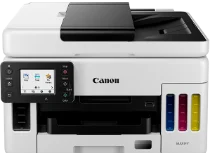
The Canon MAXIFY GX6020 printer model is first known for its high page yield that can reach up to 6000 pages of black and white. In addition, it can produce up to 14000 pages in color per complete ink bottle set. Canon MAXIFY GX6020 also contains a compatible internal print driver that works for duplex printing as well as OS compatibility. In addition, printing with this machine has an average rate of 24.0 images per minute (ipm). However, color documents print at the speed of 15.5 ipm.
Canon MAXIFY GX6020 Drivers for Windows
bff195a8e4bece28130216a56b94a5885db6a00e96395de0aa085aabc7b83705798e36399844dd5e073619f71726bca37fe744344ac8e224237ef4fe72a41b8b8dd427942e8e31c574841b714286f9171dafe7b49dd781ec9b62ff0cc61cf1a415e26104a051d3f79061242bb8114e3d81f35bbe709d14bb07a6284eb01471d0Canon MAXIFY GX6020 Drivers for Linux
6b2b7fb9dbdf987c81d2f7bb5c0b45803194b1f68818acfb78b0d3572411362b3e98ccf91c5570061f63d2af379c87a17859f1d8af080606d83f0440520e102ba26ddf682cb1d84d7e746a75004347863f266d11b7f51bd496053d7a27d8cc50059e3512d3b1c96fb636017ac77a4ebfdd3f2b8ea4344c21e7683adaa3a572fca4c5f698bb05c7c9131e85ff1a6d67fb56beda0c367b0c94e183b27896f2e860f8ed93fcae0d492e579a89d21e359d8ade22a5a185fddacba8dec90794b06ceeCanon MAXIFY GX6020 Specifications
It contains a total of 4352 nozzles, comprising 1024×3 color nozzles and 1280 black pigment nozzles. The maximum print resolution of this Canon MAXIFY GX6020 machine is up to 1200 x 600 dots per inch (dpi). The compatible ink type is the GI-26 pigment-based ink bottles suitable for cyan, magenta, black and yellow when using this machine. The black ink bottle has a fill volume of 167.0 ml, while the color ink bottles have 132.0 ml for each color.
On the other hand, it can work with standard paper types such as plain, high resolution, photo paper glossy, photo paper plus glossy II, matte photo paper, and double-sided matte paper. The compatible standard paper sizes include the photo paper size, legal, letter, envelopes, and custom sizes. Some of the others include magnetic photo paper, re-stickable photo paper, and light fabric iron-on transfers. Meanwhile, non-Canon paper types such as greeting cards, recycled paper, and chlorine-free paper are also compatible.
The supported paperweight for plain paper is within 64 and 105 gsm or having a maximum weight of 275 gsm. But if the user has thicker paper for the printer, the approximate paper weight should be between 115 and 250 gsm. Some notable printer features include document printing, photo printing, wireless printing, mobile device printing, and business card printing. Moreover, Others have Greeting card printing, Label printing, Square media printing support, Double-sided matte paper support, and Print from USB flash drive.
Technical Details
| Title | Canon MAXIFY GX6020 Drivers |
|---|---|
| Device Type | All-in-one printer |
| Driver Version | Varies by driver and operating system |
| Available Downloads | Drivers |
| License | Free |
| Manufacturer | Canon Inc. |