
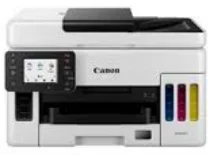
The Canon MAXIFY GX7050 is an all-in-one device with unique features, including printing, copying, and scanning documents. At the same time, it supports Wi-Fi, Ethernet, Fax, and Cloud features. For the printer specifications, its print resolution is up to 600×1200 dots per inch (dpi), and it has one print head and is a refillable ink tank printer. Furthermore, the supported print speed of Mono is 24 images per minute (ipm) and 15.5 ipm for color print. In addition, it supports Auto Duplex Print with A4, Letter-plain paper, and the First-Print-Out time for Mono is 7 seconds and 8 seconds for color.
The standard ink bottles comprise GI-56 BK, GI-56 C, GI-56 M, and GI-56 Y with MC-G01 (User Replaceable) as a maintenance cartridge. Similarly, a black cartridge on A4 color document printing yields 6,000 pages, with the economy mode at 9,000 pages. At the same time, the color cartridge yields 14,000 pages with an economy rate of 21,000 pages. Moreover, the compatible scanner types include Flatbed (D-ADF and Platen) and CIS color scanners. At the same time, the machine has a scan resolution of 1200×1200 dots per inch (dpi).
Canon MAXIFY GX7050 Drivers for Windows
90a97608783966f5c92e04d2152892e402600af4f343fc7cb4f416fad313aa7274dd19ef0bf705955af87991ef38a3c67efb54a4441679375cc080780752b9db8dd427942e8e31c574841b714286f9171dafe7b49dd781ec9b62ff0cc61cf1a415e26104a051d3f79061242bb8114e3d81f35bbe709d14bb07a6284eb01471d0Canon MAXIFY GX7050 Drivers for macOS
dd2f6b5541fca61e2582dd00120137c4d820777b829fe31edc59a20c39969f87Also, the scan speed of Simplex (Color) and Simplex (Black) is 22.1 ipm each, 23.2 ipm for Duplex (color), and 22.6 ipm for Duplex (Black). Also, the maximum document size of Platen is A4 and Letter (216x297mm) and A4, Letter, Legal (216x56mm) for ADF. Similarly, the line scan speed of color and Greyscale is 1.4 ms/line (300dpi) each. Furthermore, the copy speed of sFCOT (color) is approximately 12 seconds, and about 12.7 ipm for sESAT(color). Also, ESAT/Simplex ADF (color) is about 12.2 ipm, and ESAT/Simplex ADF (black) at about 22.2 ipm.
Also, the Canon MAXIFY GX7050 has three copy quality levels: Economy, standard, and high. At the same time, its copy functions include document copying, two-sided copy, 2-on-1, and 4-on-1 copy. The other functions are collated copy (ADF only), frame erase copy for flatbed only, and ID copy. Also, the machine supports various paper types, sizes, and weights.
Technical Details
| Title | Canon MAXIFY GX7050 Drivers |
|---|---|
| Device Type | All-in-one printer |
| Driver Version | Varies by driver and operating system |
| Available Downloads | Drivers |
| License | Free |
| Manufacturer | Canon Inc. |