
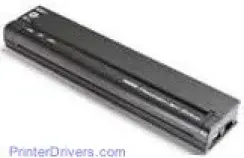
This product and Brother printer models PJ-522, PJ-562 and PJ-563 make up the classic mobile printer series or merely the pocket jet printers. The power components of the printer include an AC power cord through the receptacle into the AC adapter that connects with the printer. The safe voltage range of power input should be between 100 and 240 Volts at 50/60 Hz frequency. As an alternative power source, this printer can also work with a vehicle DC supply through the cigarette plug or direct wiring. The vehicle supplies up to 12 volts DC to the PocketJet printer.
Brother PJ-523 Drivers for Windows
7f6e813b8ee62821e14ac768b91d4ecbdfa690d15f0422e08e499fa2ecf40fe777515495b0e1141fb6a2c6435c8d6652f3225f671820a4c0cc4632a363768e2c300781711fc257f37d259761cced08348dbf960dd9afb3fb7172668e4c37ce162a6047cd80b43019d7694b04ad3fb3cd3de58353416990ca0e5c64d437c99c1425853059b7e6a465389b43b79ca82e161416ad4dacdd4ed87a20a69a7321f1fe4764899eeaee8cf1bbae30d565861e2a7eb4be9cdcf1899c87bf4546e0ab20eeab9ec7c02a5093fb50cfd48a487431c06791e583a734b03ea91ba32594cd3616Specifications
The Brother PJ-523 printer has an operation panel that comprises the main switch and three vital indicator lights, one for power, the other two for data and error respectively. The main switch has the dual function for both electric or and manual off, for the former, push once while to switch off, press twice quickly. To charge the battery while the printer is off, press the main switch for at least two seconds until the power indicator light begins to blink. At this point, charging is on, and the indicator stops flashing when charging is complete.
The three indicator lights reveal both the normal operation and error conditions for the printer. The characteristic colors are green, red, and orange, which may blink or stay on, showing different conditions that prevail with the device. This printer is also compatible with PCs with Windows operating system versions 2000 Professional, Vista and XP. The device also has advanced Windows features such as PocketJet 3 utility of auto-on, auto-off, and pre-feed.
The compatible media types for the printer also include non-perforated roll paper, perforated roll paper, and the cut sheet paper which is the most prevalent type. The printer allows connecting to the PC with the USB cable and alternatively an infrared port.
Technical Details
| Title | Brother PJ-523 Drivers |
|---|---|
| Device Type | Printer |
| Driver Version | Varies by driver and operating system |
| Available Downloads | Drivers |
| License | Free |
| Manufacturer | Brother Industries, Ltd. |