
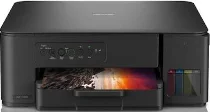
Brother DCP-T435W Driver helps the computer identify this multifunction ink-tank printer during setup. Once the USB or wireless connection is recognized, the machine can receive print, scan, and copy commands from the computer. The driver keeps those commands aligned with the selected printer and scanner settings. After installation, documents and scanned pages move through the recognized connection.
Brother DCP-T435W Drivers for Windows
5f19e85f38ff43c776fd11ecc91b4276cba86950d7b5d8567eb6943ba7b6f59d2e77eb5e59f5e6e88af9308da54976c037e98c902e6f14a6e820dc14fb2ee1672e77eb5e59f5e6e88af9308da54976c037e98c902e6f14a6e820dc14fb2ee1670edce9170c3f46f065e52aa6335c093befa453212698a94c7d59fcfc5197fa7e71169ef33cab91b5dc1e848ff483c40ad2eec7be44e69fcb0c084a590a79b49eBrother DCP-T435W Drivers for macOS
8bd1d12b6d5edfe6b6be06b1e8d6c8c4990449052cf9882906180034f2992278Brother DCP-T435W Drivers for Linux
eb7eca16ed53a6986c0a8b7f66765c88b4a2e70725630f2f59be90d23e532bcef221a71a6008943df4f44f901f3350b19b3570151543f8786c9721455b72adf19c3a200db3dc7b2b3332dff8c5226b4f3ee560d20b2e1f4918b1faf7124517b2197f63a52e89b8744f5a3c2d843abb3b76d003d5d4830bdfe675c44841a6c72bcda25534ea8e3018e7d46b970cb08b36084355adedc933aba0c8c7d03e903db901dc859f1978e645147ced5ec4b5448cc3e26b1c6d2f1104834f5891c0e17469d724746540a51f8286f2a318b47657227f7131d384a1a4f0475dacb7e3580f3ee74ef3a5529ebf3b26d6139ce15d75374a4538ba2efd48c28b209b0d705e5ec72ba3bffcf199fee6387cb79d6923214648db0f2df1c5a13f8f8f0a6fe0995c401404f2622e60470b4de25d0cdb4adc0f130ace6b380cc0d4b3d7714ad761c1ae82aa17ba2e331de1fcb34f0a839d27b9b193ac680d9742250a89e588a6bd56206c4e17c6dbcf263d9d08fb460ccd5b9f1a23fce79b30d0a41d96a224839322b2Brother DCP-T435W Specifications
Brother DCP-T435W is a refillable ink-tank colour inkjet multifunction printer with print, scan, and copy functions. Printing comes from a piezo printhead with 210 mono nozzles and 70 nozzles for each colour. The machine carries 128 MB of memory. Local control uses buttons rather than a touchscreen. Scanning uses the flatbed glass, with no automatic document feeder. This model does not include fax hardware.
From a Windows computer, print resolution can reach 1200 × 6000 dpi. ISO print speed reaches 16.0 ipm in black and 9.0 ipm in colour. Eco mode raises the pace to 27 ppm black and 11 ppm colour. The flatbed scans at up to 1200 × 2400 dpi optical resolution. Through TWAIN, interpolated scan resolution reaches up to 19200 × 19200 dpi. Copies print at up to 1200 × 1800 dpi, and one copy job can produce up to 99 pages.
Paper feeds from a 150-sheet tray. A one-sheet manual feed slot handles individual media. The paper path takes plain, inkjet, glossy, and recycled paper. Document sizes include A4, Letter, Legal, Executive, Folio, A5, and A6. Envelopes, photo paper, and index cards can also pass through the same feed system. Finished pages leave through a face-up output tray rated for up to 50 sheets of 80 gsm plain paper.
A nearby computer can connect through Hi-Speed USB 2.0. Wireless LAN handles network printing and scanning. Infrastructure mode uses IEEE 802.11a/b/g/n, and Wireless Direct uses IEEE 802.11a/g/n. Wireless security uses WEP, WPA-PSK, WPA2-PSK, and WPA3-SAE. WPS handles wireless setup. Borderless printing works on A4, Letter, A6, Photo, Photo L, Photo 2L, and index card sizes. During copying, power use is about 16 W. The machine weighs about 6.3 kg.
Technical Details
| Title | Brother DCP-T435W Drivers |
|---|---|
| Device Type | All-in-one printer |
| Driver Version | Varies by driver and operating system |
| Available Downloads | Drivers |
| License | Free |
| Manufacturer | Brother Industries, Ltd. |