
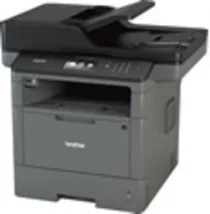
The Brother DCP-L5602DN Driver makes it possible to ensure the correct communication between the computer and this mono laser multifunction printer. The driver allows setting up the equipment and ensures system compatibility, proper connections through USB or network, and printout. Additionally, with the right software, the scanner and copier functionality is also enabled.
Brother DCP-L5602DN Drivers for Windows
49886c475a8eef6bd5f86b0f78d5fc5818c1836372a6e436a631eeba11b9e43b2a9daf711d112ad96429b8b3014371ab04433ac9a3810a15eb85859b4d58275b2a9daf711d112ad96429b8b3014371ab04433ac9a3810a15eb85859b4d58275b02ab4e7ed33d644a971ffe96abbffa0810ef6249f6b371e43fe9bd9bac8fce2cBrother DCP-L5602DN Drivers for macOS
ac24dc9ef5043009b2f2646e04861883d81baeb6d1d13139b1686028b80f59c0Brother DCP-L5602DN Drivers for Linux
41eaab084a35b26221be14cbd66a40342f719bfe5389dff95cba53f66cc43a3891a74eb5526f2bb47383bab7cb9958222bc483e5eeb4bbc32223bd3ea56418110d5fa8b7116366d5cfadbffbf09502310cfa37730aa10025d7900546bb6c356dce66a74a1154c16211305f1ca568156331b32889bd560f5bf8c3cbe83d0d7ba0027b73648722ac8c8eb1a9c419d284a6562cc763feac9740a2b75a683b09297289d82315fd9d629f8af7b5bc489f392da218acfe2436e42eec147246101636d54225e91dd7f7d0ba2a202f616b15b669be7800c271a7d25efed94191f71fc4500fec3bcffeb597b2d23ef7ff31f34dc7bd8d4736a35c2d1ff5e56784d709ce53Brother DCP-L5602DN Specifications
Brother DCP-L5602DN is an office mono laser multifunction device working with toner and not inkjet technology. The print engine uses electrophotographic laser print technology to support clear text documents. The driver has page language compatibility via PCL6, BR-Script3, PDF, XPS, IBM Proprinter XL, and Emulation of Epson FX-850. This allows printer-based printing in popular business operating systems.
The resolution of prints goes up to 1200 x 1200 dpi. The single-sided printing speed is up to 42 ppm on Letter-size paper, suitable for high-volume document printing needs. Print out the first page in less than 7.2 seconds from Ready mode. The duplex unit performs automatic double-sided printing at up to 20 sides per minute.
The paper handling is appropriate for regular office documents. The standard tray is capable of holding up to 250 sheets of plain paper. The multipurpose tray can accommodate up to 50 sheets. It also supports envelopes using the multipurpose tray. The face-down output capacity is up to 150 sheets, and the face-up output capacity is one sheet.
Connectivity options include Hi-Speed USB 2.0 and 10Base-T/100Base-TX wired LAN. Connect the computer directly to the printer with a USB cable that should not exceed 6 feet in length. The network installation is possible with the use of a driver and standard wired printing protocols. Borderless printing is not included in the specifications of the laser printer. This allows both local and networked connections.
This machine has dimensions of about 19.5 x 19.1 x 16.8 inches and a weight of about 37.6 pounds with consumables installed. Its 256 MB of memory is enough for daily document processing needs. The workflow of document tasks is simple. The scanner supports black-and-white and color scans. Thus, the proper driver package ensures adequate operation of printing and scanning after installation.
Technical Details
| Title | Brother DCP-L5602DN Drivers |
|---|---|
| Device Type | All-in-one printer |
| Driver Version | Varies by driver and operating system |
| Available Downloads | Drivers |
| License | Free |
| Manufacturer | Brother Industries, Ltd. |