
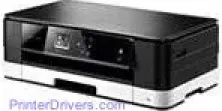
The Brother DCP-J4110DW printer is an inkjet printer with the ability to print in both monochrome and color. The ideal feature for this excellent performance is the piezo component of a print head with each having 420 nozzles. For monochrome printing, there is one such element, but three exist for printing in color, for cyan, yellow and magenta colors.
Brother DCP-J4110DW Drivers for Windows
046e2fd67456d4081522c0db954a6e1fc3d516d7f9cd8f1967a67624f9c846e0Brother DCP-J4110DW Drivers for macOS
39e686c6a5eb686f6a668d882c68cf2973a44dc8d43887c84c39456f6278747985dd93c9899987396de8e314162ac32e06a0f7aefab2c6fe09bd36e684c00ddec589827024c6300bc6fc4d51b1356902ddf4c49eac227106cb9fdf2f72d81ab2a4a18b1135fd43208a9c5b956aa2103faf0303ea05325f43e24c02ffd608a612a24d10d3d517bf128071bc4323daa294327001bab9f3f54c1551f455d4f4586cd49bd628e0994b6eea2606bb53644da76ad567fd08151703cbf9d409567e44fe43101113076fac90320ee2eebae961b0147f6cb289b74eb4832e04c2f33d9004913be14669256848ec6b056544f88dfcce896f451fbe32f374a56eea1d4d34cc6a9ef2865964ff4918dd1441876a80485fb8c329df36aa8d6680deff2eecd53e5a7267150b83ee885c1eaea15b7033b2cce24fd9c0ff9335ad5e5e43d2a93712949467d5fd874da4f4bcf9028483495f8319aad70483dbb26c2c4db964fbc8a759553d65e3e1fd0efacf7816fbbefce981bc6f2b27ffc20c6b452dba4c4a8d7ca47f2e6b9b5d9f4dc7bf154292f2e691176be4724779a06d00497673134f1a5047e26a481968bd3ae74b6d77b69c018982a7e0451375ed6990cb18cfd6c92b59868ee1de715a54d657a791d0077a3621bbc02efe2d1d5e69a9b3472a42f1aad0531b146524d0ad45bff97985ef59efade67f468cd6f25087a62986ee4e9e0524Brother DCP-J4110DW Specifications
The memory capacity of the printer is up to 128 MB of RAM while there is also a control panel that also has significant responsive buttons such as power and cancel switches. Also, part of the control panel is a TFT color liquid crystal display (LCD) and touch panel. The power input source is between 220 and 240 volts at 50/60 Hz frequency. The paper input component can also support a maximum paper tray capacity of approximately 150 sheets of 80 gsm plain paper.
The physical measurements include a height of 163 mm, a depth of 290 mm, a width of 480 mm and a weight of about 8 kg. Similarly, the power usage is 21 watts in copying mode while the active method takes about 5.5 watts. The sleep mode of the device is about 1.0 watts, while the power-off mode uses 0.04 watts. The maximum noise during operation is about 50 dB on average, but the processes have different sound production.
Some specific conditions are essential for the best performance of the printer; these include a temperature range of 10 to 35°C for normal operation while it takes between 20 and 33°C for best print quality. The humidity range for both services and best print quality is between 20 and 80% without condensation. The scanning process through the scanning glass is with a length of 297 mm and a width of a maximum of 215.9 mm at peak.
Technical Details
| Title | Brother DCP-J4110DW Drivers |
|---|---|
| Device Type | All-in-one printer |
| Driver Version | Varies by driver and operating system |
| Available Downloads | Drivers |
| License | Free |
| Manufacturer | Brother Industries, Ltd. |