
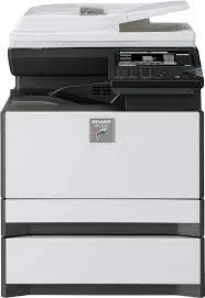
The Sharp MX-C301W model is similar to the Sharp MX-C300 model, but with unique differences for optimum performance of duty. It also possesses the color multifunction digital document system capacity as a desktop printer. The control panel on the printer has a color matrix touch panel that is about 7 inches in diagonal measurement. The essential features of the machine include the ability to copy, print, network print, network scan, document filing, and fax.
Sharp MX-C301W Drivers for Windows
fa73df3292457e7ca690a7a7177e94e9ff92a08c1eea025bc9396e55f81e6c3833b2aa3b1715b479df13d4fd0133f527653db26ffbae490f6aa2b0910ee4f50578ddaaf7631bd73509b00ea432642b6e4cd496a1ee23a49d0dea95f173906c3cebbf5e11c809479d1476466001a6f71ba83a61fa51ae4013b6aa70145554e9f0f5620bf115d9d02471126283e44f64575967fa2fb09efb03f3eb974433ca0b6455d353acb2b9c75fcbe7753baf7aa4203bdec983f5ac73567a3fa5253cd15972Sharp MX-C301W Drivers for macOS
42d579ca0a39cf747d537b99de80b695a4c2bf3b9e0e35350a85e30778fc9bccSharp MX-C301W Drivers for Linux
e652c461e438c64463762e3f3ec2f7af8a6c2c5cd8156f2c038a72bad1676374Sharp MX-C301W Specifications
Within the copy system, there are the dry electrostatic transfer, dual-component developer, and the magnetic brush development. Other features are the OPC drums, and white LED exposure for printer status and the heat roller fusing. In the copying mode, the machine can produce up to 999 copies from a single original document. Also, while copying, the magnification feature can enlarge the output to reach 400% of the original size. Whereas, the reduction size can reach 25% of the document size.
Scanning runs at a speed of 37 pages per minute (ppm) for both color and black/white scanning. Furthermore, the paper tray capacity for input can take up to 300 sheets, but the maximum is 800 sheets. In the same way, when we can, the best quality resolution reaches 600 x 600 dots per inch (dpi). The warm-up time for the machine is about 18 seconds or less for it to be ready to print. The Sharp MX-C301W printer’s original feed can also hold about 50 sheets.
The supported image formats include TIFF, PDF, Encrypted PDF, and XPS for the black and white functions. While scanning, it can also compress images in formats such as MH, MMR, and JPEG. Furthermore, the scan destinations include e-mail, desktop, FTP, folder (SMB), USB, Internet fax, and Super G3 fax. It also has network protocols like TCP/IP, SSL, SMB, ESMTP, and 802.1x.
Technical Details
| Title | Sharp MX-C301W Drivers |
|---|---|
| Device Type | All-in-one printer |
| Driver Version | Varies by driver and operating system |
| Available Downloads | Drivers |
| License | Free |
| Manufacturer | Sharp Corporation |