
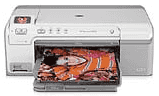
HP printer Photosmart D5368 prints photos from both print labels or memory cards on photo paper and CD/ DVDs. There is also an automatic duplexer that enables printing on both sides of the page. This feature allows the user to print booklets and brochures and save paper. These functions interestingly can be accessed through the control panel with or without having the computer running.
HP Photosmart D5368 Drivers for Windows
3282b32c12f17b68b2622aec363b3f092275fdde3dcc318ceab04cae88c9d922e884d2431357752521370417d3cfeb5eeaac07fb013daa6ae1f34faf7599764caec457bc94caf9797b33913516d55412dc33212590d723d8490ccddf248038b68f63920a0249921084271f18ae5ae4988911dc056aca6ca692ec6c25062705e33dcfc566ff00c8566b1dfa0058d856dc07da81103a20d168fe737d0514825924HP Photosmart D5368 Drivers for macOS
097f3ff0c711303a8b239e1ac19d23e947daa57021fae518dec148dc978dbc3b5c87abc5a34bf321453ce2bc2551f7e8a9874e84dd7c34aaa7fb13c60855f474a874b44828da952a4c1cee5d4df089e2518db0fea39097218a65e32ef30a044472b21eb8392b5cdf76ec46853e78341991ccc267ba1f9e1e92fd3f0248646ab5HP Photosmart D5368 Specifications
At a glance, the identifiable parts of the machine include control panel, memory card slots and color graphics. The rest include CD/DVD holder, CD/DVD carrier storage, Main input tray, Output tray, Photo light, print carriage door, etc.
HP Photosmart D5368 cartridges
Black Original Ink HP 74 Cartridge (~200 pages ), HP 75 Tri-color Original Ink Cartridge (~170 pages )
Printer specifications
1. The recommended papers for printing include the following;
a. HP Premium Plus Photo paper
b. HP Premium Photo paper
c. HP Advanced Photo Paper or HP Photo Paper
d. HP Premium Inkjet Transparency Film and HP Premium Plus Inkjet Transparency Film
e. HP Premium Inkjet Paper
f. HP Bright White Inkjet Paper
g. HP Inkjet Printable CD/DVD Discs
h. HP All-in-one Paper or HP Printing Paper
i. HP Iron-on transfers
j. HP Premium Photo Cards
k. HP Brochure and Flyer Paper
l. HP Premium Presentation Paper
m. HP CD/DVD Tattoos
2. Regarding the media types, the printer supports envelopes, index cards, labels, legal and greeting card papers, etc.
3. The primary printing modes include general printing, fast/economical printing, duplex printing, photo printing- borderless, presentation printing, etc.
4. The compatible memory cards include an xD-Picture card, CompactFlash, Memory Stick, SD, SDHC, MMC, MicroSD, and Secure MMC.
5. The printer allows you to share photos using HP Photosmart software.
6. Make sure you handle the print cartridges with much care and get replacement cartridges from HP store. However, the replacement cartridge has a specificity that pertains to the different regions of use. To replace the print cartridges, lift the cartridge door and gently replace the cartridge with a new one.
Technical Details
| Title | HP Photosmart D5368 Drivers |
|---|---|
| Device Type | Printer |
| Driver Version | Varies by driver and operating system |
| Available Downloads | Drivers |
| License | Free |
| Manufacturer | HP Inc. |