
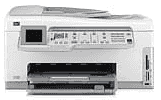
HP Photosmart C7250 is an all-in-one device with fantastic features that fit into many uses. To start with, it can print, scan, copy, as well as send or receive fax messages. It can connect through both wired and wireless connections with at least five different devices. This function is a very needful feature in a large office environment where many users have equal access to just one printer. Many of these functions are accessible from the control panel even without turning on your computer.
HP Photosmart C7250 cartridges
HP02 Black Ink Cartridge (~660 pages ), HP 02 Cyan Ink Cartridge (~400 pages ), HP 02 Magenta Ink Cartridge (~370 pages ), HP 02 Yellow Ink Cartridge (~500 pages ), HP 02 Light Magenta Ink Cartridge (~230 pages ), HP 02 Light Cyan Ink Cartridge (~220 pages )
HP Photosmart C7250 Drivers for Windows
d08c7f193298f81ada4192efb6282cf2c5a32a4d918f351f53067618f8604bf2f983287366ee7c035fd3070f7738af5aca0fe6e6bb2a23b45293306fd515355e77e83a08b7f2be6eb6e59a89140818c2dbff58ea8f2999fe9812a442b2353d0d2adbbee53e670a5add81e17e119882e93d8ddb36a89b0e117c7469dfedade19338fc9096425fe4240b41058fa180c4338b6cd4de30101e7586f1aa527faee5e1d2f18088da8df16f0017983756626431eeeeddb0e386dd19a223c89e5a6a9c4fce728403422ec1c590fb971561abec94e476484815326373058a39afd61bccc2HP Photosmart C7250 Drivers for macOS
0205059d568e141eead6f396640cba564e4ec207802dd974c2d2b39f03dee7331d7229b60916ed71d5ec06120fcf1905440aa29dc11b13fd0554e6f8cb13c87aHP Photosmart C7250 Printer Specifications
1. External features include an automatic document feeder (ADF), a color graphics display, and a main input tray. Others include an output tray, a paper tray extender, a paper width guide and a paper length guide.
2. Accessible buttons on the control panel include the display, attention light, and a photo menu. Others include Zoom buttons, directional pad, reprints, red-eye removal, an OK button and a scanned list.
3. Connectivity options include a wired Ethernet network, a wireless router (an infrastructure), or without a wireless router (ad hoc). Others include hi-speed USB 2.0 ports at the front and rear. The connection allows up to five different devices.
4. The input tray capacity is up to 100 sheets of plain paper while the output tray holds up to 50 sheets. The photo tray has a capacity of up to 20 sheets of photo paper of 4 x 6-inch size.
5. The physical dimensions of this HP printer are 9.5 x 17.7 x 17.4 inches (HWD), and its weight is 24.3 lbs.
6. The power specifications include a maximum consumption of 32.5 watts and an average of 20.1 watts.
7. The environmental specifications include a recommended operating temperature range of 150 to 320 C. Humidity ranges between 20% and 80% Non-condensing Relative Humidity.
8. The software system requirements are inside the Readme file.
Technical Details
| Title | HP Photosmart C7250 Drivers |
|---|---|
| Device Type | All-in-one printer |
| Driver Version | Varies by driver and operating system |
| Available Downloads | Drivers |
| License | Free |
| Manufacturer | HP Inc. |