
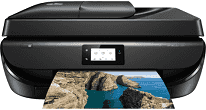
It is essential to create an acceptable environment for machines to get the best out of them. The non-operating humidity range is between 20 and 80% without condensation. Similarly, the storage temperature of the printer environment should be between -40 and 60°C. Furthermore, this printer can save paper resources by up to 50% when users use the automatic duplex printing. Other environmentally friendly properties of this printer include the print cartridge with 70% recycled plastic.
HP OfficeJet 5220 Drivers for Windows
478301781a108acc46d6360e8d091e68b094b6ee57c3ce4e30b7b5499e76ad63859f7e74ff6da09c900d8861260ac9172a08a2509b66cd1181d7a6bd63e91f61642f0a621c6e17b96424ac4aa0210f43aa391c29a013972c1fe86d47cecfa545cc5c7d9a9f83c8f0133c25117e3ec2eddb63bb42f93ef455246cb578202c6e93f50dad657f400372a066f31d5596db54ad4d289fdcdaf11f1209f7c83f8ebfaef50dad657f400372a066f31d5596db54ad4d289fdcdaf11f1209f7c83f8ebfaef50dad657f400372a066f31d5596db54ad4d289fdcdaf11f1209f7c83f8ebfaeHP OfficeJet 5220 Drivers for macOS
99e1d18847c64a405486ae34424f0a1c8d89920d17df86c45b6b0007f101d70aHP OfficeJet 5220 Drivers for Linux
dc173d7b548017175b452547b29f8231e58c4302cfc60f9ae19a1ee649357bc3When we consider the faxing properties, the printer works for both sending and receiving fax messages. The resolution of this model on average is about 300 x 300 dots per inch (dpi). It supports fax telephone mode at a modem speed of 56 kbps. The machine also has a memory of 256 MB of DDR3 RAM storage and processing at its maximum capacity. Users can also enjoy compatible network protocols such as the TCP/IP standard.
The printer runs several mobile printing capacities, including wireless direct and local Wi-Fi connectivity. The specified instances of support include HP ePrint, Apple AirPrint, Wireless direct printing, and Mopria certification. These options include compatibility with tablets and smartphones with their compatible operating systems. Such systems include Android, iOS, Blackberry, Symbian, Windows 8, and Windows RT. This printer weighs about 5.41 kg, which is equivalent to 11.92 lbs.
The input capacity of the printer model can take up to 100 sheets of plain paper and 40 index cards. The standard input capacity also includes ten envelopes and is compatible with other standard sizes. On the other hand, this model has up to 25 printed sheets of compatible media types. These media types include plain, HP photo paper, HP matte or professional layers and HP brochure or professional documents. This device supports an automatic document feeder (ADF) capacity of 35 flat sheets.
Technical Details
| Title | HP OfficeJet 5220 Drivers |
|---|---|
| Device Type | All-in-one printer |
| Driver Version | Varies by driver and operating system |
| Available Downloads | Drivers |
| License | Free |
| Manufacturer | HP Inc. |