
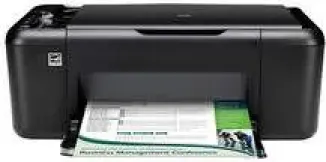
As a typical Officejet printer with a good shape, the HP Officejet 4400 is suitable for both personal and corporate or commercial uses. The device is an all-in-one printer with the ability to print, copy and scan documents with high quality. The characteristic features of this device include a necessary hi-speed USB 2.0 port.
HP Officejet 4400 Drivers for Windows
52712ebebc0a38a478b79b8ba9134cc3cbcaecdf1f37761996a7ba220f2476b57ad202440254ee37416b69bde8484409a70b32c081f3359eee94c364082883d8faf34005abc0991e6e239952fae9c3b25d295b4fb93c9d964d8baaf8ea09b670HP Officejet 4400 Drivers for macOS
3610e1be23463fad441e2729b8f66b84ead8ccc3698a7ff2e3b7c92472b6b9fbHP Officejet 4400 Features
The physical size of the printer involves a height of 6.4 inches and a depth with an extended output tray of 22 inches. Also, the width is about 17.2 inches, and the weight is 11 lbs. The compatibility of the printer cartridges depends on the region where the printer is in use. For instance, for the Americas and Asia Pacific (excluding China, Indonesia, and India), the HP 60 cartridge is compatible.
Similarly, in Western Europe, HP 300 is the compatible cartridge while in China and India, the HP 818 cartridge is the consistent part. In Africa, CIS, the Middle East, and Japan, the compatible cartridge is the HP 121. Regarding paper-handling specifications, for plain paper, the paper tray holds up to 80 sheets while the other media types are of lesser quantity in this tray.
The supported media sizes range from basic standards to custom sizes. The functionality of the output tray and its capacity depend on the type of paper in use as well as the amount of ink on the printout. Therefore, the manufacturer recommends that users often empty this output tray while in use.
The printing method for this device is the drop on demand thermal inkjet print technology while the language is the PCL3 GUI. The monthly duty cycle of the printer is up to 3000 pages while the print speed varies by the model of the printer. However, in reality, the rate is about 28 pages per minute (ppm) when printing in black while it is 22 ppm for color printing.
Technical Details
| Title | HP Officejet 4400 Drivers |
|---|---|
| Device Type | All-in-one printer |
| Driver Version | Varies by driver and operating system |
| Available Downloads | Drivers |
| License | Free |
| Manufacturer | HP Inc. |