
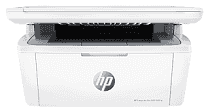
HP LaserJet Pro MFP M30w Driver gives the computer the software it needs to use the printer’s print and scan hardware correctly. The M30w combines monochrome laser printing with a flatbed scanner, and the same scanner also serves its copying function. A nearby computer can use the USB connection for direct communication. For cable-free use, print and scan jobs can travel over the wireless network once the printer has been added to the computer.
HP LaserJet Pro MFP M30w Drivers for Windows
774134062707e598426b1bd2e8448528c208a56c946474225f313041f449f5f877afa021ebd1cc43375dd466409f4e8c0116b0fdf6956529f7d42d67792037ffeb865619cd3314b61214748daf198f5041c7b003ec058d9804befb0402346824620068045902345004931235f980d18321eb73b2b9e83672a905b17b6e823677b43e074dd8d4aa3f8bfd43bcf90e6fe132b6dacd28543d9c29bf70cc6d06c67733a48d17157441a5f626bf8b2b5f85c04c1a524bacff1c548f899ad90978765ec11fe40d2b794ffeb0c9f87b6f22efe7b178646c583b58276f0dc4b24872778a49aee77d43d920b362885f4bdc240b68dca11ed11c603fd326dea9ecef33110b4e19a78f0f7887e81a3c71b6bafd43b4a6cc10bf39228f932118cff6b9a06b7983d239d64aa753b224ac1a5c229527fba7a264eb3653fb95af54a387b27b3b1b83d239d64aa753b224ac1a5c229527fba7a264eb3653fb95af54a387b27b3b1b83d239d64aa753b224ac1a5c229527fba7a264eb3653fb95af54a387b27b3b1bHP LaserJet Pro MFP M30w Drivers for macOS
af7c3549c57dd2fca64ed538b92fe377ed5dfd4c10c4f5ea5be569fb6a690c80HP LaserJet Pro MFP M30w Specifications
The HP LaserJet Pro MFP M30w is a monochrome laser multifunction printer with print, scan, and copy hardware. A single black toner cartridge supplies the laser engine, backed by a 500 MHz processor and 32 MB of memory. Copy settings and wireless status appear on the icon LCD and keypad. Scanning relies on a flatbed rather than an automatic document feeder, so each original has to be placed on the glass by hand.
Print resolution reaches 600 x 600 dpi, and HP rates A4 output at up to 18 ppm. The scanner reads originals at up to 600 ppi across a maximum area of 216 x 297 mm. Copy resolution reaches 600 x 400 dpi. Enlargement and reduction run from 25 to 400 percent, and one copy job can produce as many as 99 copies.
Paper loads into a 150-sheet input tray, with room for 100 printed sheets in the output bin. Plain sheets, labels, postcards, and envelopes can use the same feed. A4, A5, and A6 are among the standard sheet sizes; C5 and DL are available for envelopes. Automatic duplex hardware is not fitted, so two-sided pages need to be turned manually. The flatbed also means multi-page originals cannot feed automatically during scanning or copying.
A nearby computer can use the Hi-Speed USB 2.0 connection. For wireless jobs, the M30w uses built-in 802.11b/g/n Wi-Fi, and Wi-Fi Direct can link a compatible device without relying on the normal network connection. Mobile printing also works with Apple AirPrint and Mopria. With the trays closed, the body measures 360 x 264 x 197 mm. Opening the paper-handling sections increases the maximum depth and height to 427 mm and 347 mm, and the printer weighs 5.4 kg.
Technical Details
| Title | HP LaserJet Pro MFP M30w Drivers |
|---|---|
| Device Type | All-in-one printer |
| Driver Version | Varies by driver and operating system |
| Available Downloads | Drivers |
| License | Free |
| Manufacturer | HP Inc. |