
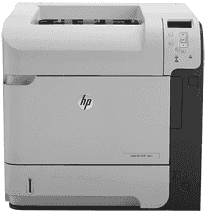
HP LaserJet Enterprise 600 M601n printer has a sleek design that makes it suitable for various office and home uses. It also has a job storage mode that allows you to print jobs without necessarily connecting to a PC.
HP LaserJet Enterprise 600 M601n Drivers for Windows
33ff2b4888bc149044653b59e637ae80c3d84638aa235df17584ba2f12ca879336c544e680b2474fc6a8a5f8322277d6f44e23b13d8ab8c8940568aeb1aefdd863d9ebffee70c4f4502d0bd945266ca1abdc13880102ea07b2d35960e6333112d2f18088da8df16f0017983756626431eeeeddb0e386dd19a223c89e5a6a9c4fce728403422ec1c590fb971561abec94e476484815326373058a39afd61bccc2eb727293767ac87183406c24c35cea7756c5b4acbcd130e968e6f166c6c95c08bea1ab4fb7079681cb60e7dcc19ffdcaa8f955a7b4c018f4b44c5ff05cf20973b5e03eff7772b8ff14e6bc09e7d3ece79fdc058ac93e597d4de58ea65cd131a1680967e8c32026bc2071ce27a65e55a2e26501f405a8a09c0324f59a974f1cc2252e3bb84737038c907650b13a150fe34cfaddc5810fa8a17e29b0e1e3e49fed9086a918c0d2b80dc034ad79fe64f90fc0fb244fb9ed7af2c3c9e71cf03979831088425bc237bfabaf7ff8fedb6675d2bc6a55836caa899688eda82c404247313e1529cc2cf7f249d20d574f41e6d32f7e9ce1341e11553bec91c6fa19a34663dbd500b65648de46c47dff9938f43a085dbcc073ea01aedf250a97eff842d8d2df77000f993a4c410689f22ac064f74dbe6f0ed6c034503cdc9934d7c1b8a763HP LaserJet Enterprise 600 M601n Drivers for macOS
99e1d18847c64a405486ae34424f0a1c8d89920d17df86c45b6b0007f101d70a6e29340fb471ab6abc13526622ce1b74ca4eb062f8c7c0c7c80416fda0d30780cba1598dc5d03fbf28fa649dafca5cd251f273066cc3a050966834a73ba66c3ee361f24d92eb3e01d74d464194c00c2861b4cdffc53a344ce7c97a9f0b94f6eaHP LaserJet Enterprise 600 M601n toner cartridge.
The print cartridges are of two types of replacements including that of standard capacity of model number CE390A. The other is a high capacity print cartridge of model number CE390X. The accessibility of the cartridge is also excellent as it is removable with only one hand. HP90A Black LaserJet Toner Cartridge (~10000 pages)
The HP LaserJet Enterprise 600 M601n printer supports Windows XP, Windows 7, Windows Server, and Windows Vista (all compatible with 32-bit and 64-bit). These operating system versions are installable from the downloaded software or installation CD. The 64-bit Windows XP and 64-bit Windows Server 2003 OS are installable using the add printer feature.
The supported printer drivers for this product include HP PCL 6 as the default printer driver. Also, it supports HP postscript emulation Universal Print Driver (HP UPD PS), HP PCL 5 and PCL 6. These drivers make use of the online help according to the instructions for everyday printing tasks.
The supported utilities for Windows include the HP embedded web server, and HP ePrint as part of Web services. Other supported operating system versions are UNIX, Linux and SAP devices. Others include Mac X 10.5 and 10.6. The required processor for Mac OS X 10.5 is a Power PC and Intel Core. Whereas for Mac OS X 10.6, it requires an Intel Core Processor.
The printer works well with some media types including envelopes, labels, legal, transparent films, and index cards. Others include photo paper, heavy paper as well as glossy and coated paper. The input tray has two types; the first holds 100 sheets of plain paper while tray 2 holds 500 sheets. The output tray, however, contains about 1,500 sheets plus an optional duplexer.
Technical Details
| Title | HP LaserJet Enterprise 600 M601n Drivers |
|---|---|
| Device Type | Printer |
| Driver Version | Varies by driver and operating system |
| Available Downloads | Drivers |
| License | Free |
| Manufacturer | HP Inc. |