
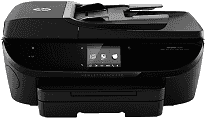
If you want a wireless printer which performs all functions like print, scan, fax, and copy, then HP ENVY 7640 is the best choice for you. It is very compact and very beneficial for small businesses or companies. This printer uses the thermal Inkjet technology for printing the documents. This printer supports the various types of papers such as plain paper, envelopes, cards and photo paper.
HP ENVY 7640 Drivers for Windows
9a0e15dc3cd01820651624dcf413ffe768d862b0cc0d30866dec81f9b17fe34bf977e89b5a2ce5b6851124b436d7c7949a1741186b0fedea15408d8774a9931566cc6a9305736d99c211a61dbb93b3a5ff015c94e5a5d4061cc37965c45ebd9e522de04a6d5b57c20ca916b2368b040278dc97ad2518494c864f2455cc0222139b911b89f16f04a8a20e7ccdd353be85eb3138b09baea7e0cccf5f916a3a713f505a127ffc3eb53a78b650b6fa121aabe1770f9338cf9ea188d731a284731f82e55e2b221e09fefe6ebad73a45a75d577e013bb6096d20229b0ac4fb4ea97e76d2f18088da8df16f0017983756626431eeeeddb0e386dd19a223c89e5a6a9c4fce728403422ec1c590fb971561abec94e476484815326373058a39afd61bccc2e2a9a96fe5fd24d2cbc8868efaa9de956f88983424e4abe9222281383765316665600b3146322a625534e02a701fc04e05403b71f61f358d6358f868ffc1c676a4d5272029ec44a3a3eb879d14232d2852c06fe1ee19e3b9486c3d491245fc57a4d5272029ec44a3a3eb879d14232d2852c06fe1ee19e3b9486c3d491245fc57a4d5272029ec44a3a3eb879d14232d2852c06fe1ee19e3b9486c3d491245fc57HP ENVY 7640 Drivers for macOS
99e1d18847c64a405486ae34424f0a1c8d89920d17df86c45b6b0007f101d70aad36e9064c981ef9190b42604fed89883833dc7cd3e709f2223dcadd645b6621HP ENVY 7640 cartridges
HP 62 Black Original Ink Cartridge (~200 pages), HP 62 Tri-color Original Ink Cartridge (~165 pages)
Specifications of HP ENVY Printer 7640:
1. Print: In this printer, the printing speed is up to 22 pages/minute for black and up to 21 pages/minute for color in draft mode. The resolution of this printer is up to 4800×1200 dots per inch for color and 1200×1200 dots per inch for black.
2. Paper tray: The paper tray capacity of this printer is up to 125 sheets in the input tray or up to 25 sheets in the output tray.
3. Fax: The resolution of this printer in faxing is 300×311 dots per inch with the maximum transmission speed of 33.6 kbps.
4. Copy: The speed of this printer when copying is up to 21 copies per minute for black and up to 19 copies per minute for color. It also can copy the documents in color.
5. Scan: For hardware, the scan resolution is up to 1200×1200 dots per inch and the printer also has the scanning technology of CIS.
6. Paper size: It supports various types of paper such as A4, A5, B5, DL, C6, and A6, etc.
Features of HP Printer ENVY 7640:
1. The printer consumes very little power, about 13.95 watts.
2. Twain-version 1.9.
3. Compact in size.
Supported operating system for HP ENVY 7640 driver:
- Operating system: Windows Vista, XP SP3, 10, 8, 7, and Mac OS X v10.7, 10.8, 10.9
- Processor: 800 MHz, Intel Pentium 2, 1GHz and Intel core
- RAM: 2GB, 850 MB, 1GB
Latest operating system for HP Printer ENVY 7640 driver:
This printer is also compatible with versions of the operating systems including Windows 10, 8, 8.1 and Mac OS X v10.13 High Sierra.
Technical Details
| Title | HP ENVY 7640 Drivers |
|---|---|
| Device Type | All-in-one printer |
| Driver Version | Varies by driver and operating system |
| Available Downloads | Drivers |
| License | Free |
| Manufacturer | HP Inc. |