
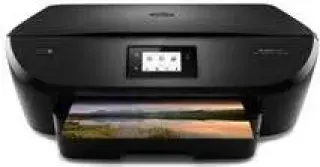
The printer has outstanding printer specifications such as a print language of HP PCL 3 GUI enhanced and a black and color output. The print method is the drop on demand thermal inkjet technology that ensures the printing resources are well-conserved. This feature is of immense economic benefit for both personal and commercial purposes.
HP ENVY 5543 Drivers for Windows
ac7d0b2e79b217cc2455e475bc9c266d0a6786187e22a3716b0bc00345ad83191f825bba1cca50806ad432b6e52d916200d6006a89ab6fba3970d8563a005229046ef99dca59395688978eca56ea779559f4d26cc8ba0deccf94855271cd33d7cf1c7a04014e4862fc1e854c1f5c315bf6af969931ef85dce2b3e618a69c9a26d9392089310894f6317c8da8011acb926aedddcdedd56e27eaae54ad1855d607d2f18088da8df16f0017983756626431eeeeddb0e386dd19a223c89e5a6a9c4fce728403422ec1c590fb971561abec94e476484815326373058a39afd61bccc274d30857f599a79796ced0b5a49966d9223ab85c2fc33548c3a7e262792d6f4274d30857f599a79796ced0b5a49966d9223ab85c2fc33548c3a7e262792d6f4274d30857f599a79796ced0b5a49966d9223ab85c2fc33548c3a7e262792d6f42HP ENVY 5543 Drivers for macOS
8f24fa0f77e76f4013f26fd7fb8b50a43bcee1cf14873746a0f571d0222a0db2HP ENVY 5543 Specifications
The print resolution depends on the printing mode such as the draft, normal, print best and photo best options. The print resolution in draft mode is 300 x 300 dpi (dots per inch), and then 600 x 300 dpi in normal mode. In the print best and photo best modes, the resolution is at 600 x 600 dpi, but the maximum resolution is 1200 x 1200 dpi for black. However, the print resolution for color printing is 4800 x 1200 optimized dpi.
The print speed of this device is a factor of the complexity of the document in print and the model of the printer. It is also related to the mode of print. For instance, in draft mode, the print speeds are up to 22 pages per minute (ppm) for black and 21 ppm for color.
For ISO mode, speed is 12 ppm (black) and 8 ppm (color) while duplex mode runs at 8 ppm for both black and color prints. All these print speed specifications only apply to printing on plain paper.
The copying feature of this printer includes the digital zoom range of 25 to 400% and a digital image processing method. The printer also shows a copy preview on the control panel before the eventual output. Also, the copying works for both black and color with effective resolutions. The copy speed is generally 21 ppm for black and 19 ppm for color, irrespective of the copy mode of the device.
Technical Details
| Title | HP ENVY 5543 Drivers |
|---|---|
| Device Type | All-in-one printer |
| Driver Version | Varies by driver and operating system |
| Available Downloads | Drivers |
| License | Free |
| Manufacturer | HP Inc. |