
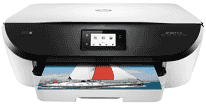
One of the outstanding products of the HP printers is the HP Envy series. HP Envy 5546 is an all-in-one device with the model part number K7C90A with the ability to print, copy, and scan documents. These products, as well as other supplies, are available from HP Stores as well as many other retailing outlets worldwide.
HP ENVY 5546 Drivers for Windows
ac7d0b2e79b217cc2455e475bc9c266d0a6786187e22a3716b0bc00345ad83191f825bba1cca50806ad432b6e52d916200d6006a89ab6fba3970d8563a005229046ef99dca59395688978eca56ea779559f4d26cc8ba0deccf94855271cd33d7cf1c7a04014e4862fc1e854c1f5c315bf6af969931ef85dce2b3e618a69c9a26d9392089310894f6317c8da8011acb926aedddcdedd56e27eaae54ad1855d607d2f18088da8df16f0017983756626431eeeeddb0e386dd19a223c89e5a6a9c4fce728403422ec1c590fb971561abec94e476484815326373058a39afd61bccc2a4d5272029ec44a3a3eb879d14232d2852c06fe1ee19e3b9486c3d491245fc57a4d5272029ec44a3a3eb879d14232d2852c06fe1ee19e3b9486c3d491245fc57a4d5272029ec44a3a3eb879d14232d2852c06fe1ee19e3b9486c3d491245fc57HP ENVY 5546 Drivers for macOS
99e1d18847c64a405486ae34424f0a1c8d89920d17df86c45b6b0007f101d70aHP ENVY 5546 Specifications
The height of the printer is 6.3 inches; the width is 17.8 inches while the weight is 15 pounds. The depth of the printer largely depends on the position of the tray. For instance, with the extended tray, the depth measures at 19.8 inches and 16.1 inches without the extended tray. These dimensions make the printer suitable for both personal and commercial uses.
Concerning connectivity, the options include a necessary hi-speed USB 2.0 port and a wireless 802.11 b/g/n component. This wireless feature works on 2.4 GHz networks and the Wi-Fi Direct network connection. Note that the printer does not support the Near Field Communication (NFC), HP Smart app and the Wired Ethernet LAN.
When printing without the PC, the mobile printing solutions may include the HP ePrint, HP ePrint app, and Mopria certification. Others include Apple AirPrint and the HP Print Service Plugin for Android and Kindle devices. The supported web services may also include printables and scheduled delivery printables. The web-based tool used to maintain high performance with this device is the embedded web server.
The capacity of the input tray is up to 125 sheets of plain paper, and that of the output tray is up to 25 sheets. The papers should be of standard weights to meet these requirements. The supported media types include the transparencies, index cards, photo papers, labels, envelopes, and other primary forms. The device is also well-known to support both standard and custom sizes.
Technical Details
| Title | HP ENVY 5546 Drivers |
|---|---|
| Device Type | All-in-one printer |
| Driver Version | Varies by driver and operating system |
| Available Downloads | Drivers |
| License | Free |
| Manufacturer | HP Inc. |