
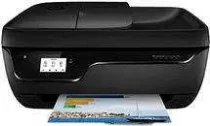
Printers have become a necessity in today’s world in both offices and at home. So, with such demand, it is no wonder that manufacturers like HP will produce printers that can meet the needs of both office and home. HP is the creator of many amazing machines in the market. HP Deskjet Ink Advantage 3838 is one of its most exquisite creations. It is one of the best all-in-one printers in the market today with an abundance of features that will get you hooked on this printer. Let’s take a more in-depth look into the HP Deskjet Ink Advantage 3838.
HP DeskJet Ink Advantage 3838 Drivers for Windows
12985fe4166f98c44b577afb17cede73d4c3e2d51977fb111cd0f8cc69bc8f0085792275e038c2f466af41a98bdcc3be505e23031b70c513b196c52fe0b5ecbba3bda6894cd6a71ddcd6ced4c06fde095054e8b436c6c85e52beaf08bc52ab745ea337fa674fe7abf634fc8f2f330c16dd36a0ef61d8877149995c11f41358f2daf27278413c7fdab0fa300dda538d1a93cd6ea9943d25e7bfba7483e4e99535d2f18088da8df16f0017983756626431eeeeddb0e386dd19a223c89e5a6a9c4fce728403422ec1c590fb971561abec94e476484815326373058a39afd61bccc2a1f630ab0e5f1d552390b2d836155f87d646a768fc87ae117f30fa31c1a7917ba1f630ab0e5f1d552390b2d836155f87d646a768fc87ae117f30fa31c1a7917ba1f630ab0e5f1d552390b2d836155f87d646a768fc87ae117f30fa31c1a7917bHP DeskJet Ink Advantage 3838 Drivers for macOS
8f24fa0f77e76f4013f26fd7fb8b50a43bcee1cf14873746a0f571d0222a0db2HP DeskJet Ink Advantage 3838 All-in-One Printer cartridges
Cartridge (~480 pages), HP 680 colour Ink Cartridge (~150 pages)
Specifications
What makes HP Deskjet Ink Advantage 3838 different and unique from some other printers out in the market is that it is a fully functional all-in-one printer with Fax capabilities. You can print, scan, copy documents as well as fax them to someone else too. The HP Deskjet Ink Advantage 3838 is equipped with a 2.2-inch mono LCD touchscreen that lets you use the functions of the printer without needing to connect it to a computer. It is a compact inkjet printer with dimensions of just 10.63 x 17.38 x 22.8 inches. So, it is not that hard to find a spot for this printer in your home or office.
As HP Deskjet Ink Advantage 3838 is an All-in-one printer, it also supports the functions of copy, scan, and fax. This printer has a resolution of 4800 x 1200 dpi for a color scan and 1200 x 1200 dpi for black and white scans. The copier can make a copy of both mono and color pages. Regarding fax, HP Deskjet Ink Advantage 3838 can store up to 99-speed dial numbers. It has a transmission speed of 33.6kbps and takes on average 4 seconds per page.
It is straightforward to set up HP Deskjet Ink Advantage 3838 as all the instructions are provided in the driver installation CD. You need to follow the instruction to set up your printer to your computer using Hi-speed USB 2.0 connection. It is compatible with a variety of operating systems like Windows Vista/7/8, Mac OS X v 10.8 – 10.11 and Linux. If you don’t want to use a computer, it is also equipped with wireless connectivity support using Wi-Fi or HP ePrint and HP AirPrint mobile printing apps.
Technical Details
| Title | HP DeskJet Ink Advantage 3838 Drivers |
|---|---|
| Device Type | All-in-one printer |
| Driver Version | Varies by driver and operating system |
| Available Downloads | Drivers |
| License | Free |
| Manufacturer | HP Inc. |