
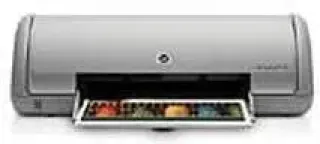
The model number of this device is C9095A, belonging to the HP Deskjet D1300 printer series. The printer has a fascinating shape, specially designed for color and monochrome printing but there is no display component on it. The form is in tune with the use as the height is about 5.6 inches, the width is 16.6 inches (longest side), and the depth is about 7.2 inches. The printer’s weight is about 4.5 lbs.
HP Deskjet D1330 Drivers for Windows
5d439540649e819cb4c5f2cf5a263c060ff4795da8854ecc31350be049fd8fc0729b83e7987a9d9fdca9bec62377582691eb84eb70a1b50fb216e92384c34acace3f0be54b403737e5deb48d0caf0be455057766812cd667ec4fa57fa841ac3d9d5d7e8f9cfb444858e0cf27f7e4bced0d86c453f0b6f5595210fe9fbe4a6323e908a5aa5c0aa0c307a36552ebfd859cb4b9fb8e531e4f83795040dcf23a6f36HP Deskjet D1330 Drivers for macOS
35171fdd7a25a378918bc181028e3e0dd866f9663cfac12aed069ea0ff87d4589fb2e0f4399655e6db9d6b056f9b744e9540193e400e34f635bf8362ae3371e7Specifications
The outstanding features worthy of remembering concerning this device include a straightforward mode of installation and operation. The printer supports borderless printing on a 4 x 6 inch sheet of photo paper to its edge through its borderless feature. It also features an onscreen ink status window that indicates the ink level of the ink cartridge at each print. Also, there is an ink backup mode that completes the printing if one of the cartridges runs out of ink during the process.
At fast draft printing mode, the print speed is up to 12 pages per minute for both monochrome and color printing. If the printer is a two-cartridge device, however, the print speed is up to 16 ppm for both color and monochrome printing. These parameters apply to plain papers, but printing on photo paper is at an average rate of 45 seconds.
The lowest printing resolution of this device is about 300 x 300 dots per inch (dpi), and that is at the fast draft mode on plain paper. On the same document, normal and fast normal print modes produce 600 x 600 dpi while best and maximum dpi modes produce 1200 x 1200 dpi. All the resolutions above apply to printing black TrueType text.
The color printing resolution on plain paper is at least 600 x 300 dpi for fast draft mode. Fast normal and normal resolutions are 600 x 600 dpi; the best mode with the aid of the photo Ret component produces 1200 x 1200 dpi.
Technical Details
| Title | HP Deskjet D1330 Drivers |
|---|---|
| Device Type | Printer |
| Driver Version | Varies by driver and operating system |
| Available Downloads | Drivers |
| License | Free |
| Manufacturer | HP Inc. |