
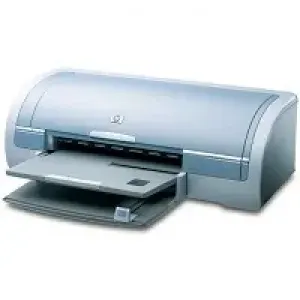
This printer has many unique and exciting features. One of these is the printer software that grants accessibility for users with visual impairments. These include screen readers, braille readers as well as voice-to-text applications. This HP Deskjet 5151 Color Inkjet driver software also supports other Windows accessibility features such as FilterKeys, StickyKeys, and MouseKeys.
The outstanding vital features of HP Deskjet 5151 Color Inkjet driver include borderless printing that allows the use of the whole page for printing photos. The print screen function enables image printing to display on the monitor just at the touch of a button. There is an enhanced Digital photo printing capability with this device. This function is possible through a full six-ink upgradeable print cartridge for both document and photo printing.
HP Deskjet printer 5151 cartridges.
HP 56 Black Original Ink Cartridge (~520 pages), HP 57 Tri-color Inkjet Print Cartridge (~500 pages), HP 58 Photo Inkjet Print Cartridge (~140 pages)
HP Deskjet 5151 Color Inkjet Drivers for Windows
6568963674cae0b548c434aae9fa106fd4adf628ff25356e69433d7ce9d8e28bHP Deskjet 5151 Color Inkjet Drivers for macOS
a460c334aa024e3fedb996e7d1121a8e2da1dd4d5227e0bc9092f3dfb8ed0b4cHP Deskjet 5151 Color Inkjet Specifications
Interestingly, there is also an ink-backup mode that lets you continue printing with one print cartridge. This feature comes up when the other print cartridge runs out of ink. Coupled with that are the auto-on and auto-off features that save power when the printer is idle. The idle time is about 30 minutes, and it comes up again when you print a file.
With the installed print cartridge, the device is capable of both black and tri-color printing. The manufacturer, however, recommends that the user does not use a photo print cartridge for the ink-backup mode. The cartridge numbers are HP 56, HP 57 and HP 58 black, tri-color and photo print cartridges respectively. To maintain optimum delivery, keep print cartridges sealed until they are needed and do not remove ink nozzles.
With HP Printer Deskjet 5151, users can print multiple pages on a single sheet of paper with the printer software. There is also a cancel button to cancel unintended jobs on the printer just at a touch of a button. There is an optional duplexer accessory that helps with two-sided printing automatically.
Technical Details
| Title | HP Deskjet 5151 Color Inkjet Drivers |
|---|---|
| Device Type | Printer |
| Driver Version | Varies by driver and operating system |
| Available Downloads | Drivers |
| License | Free |
| Manufacturer | HP Inc. |