
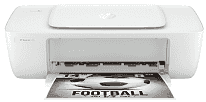
HP DeskJet 1200 Driver lets the computer identify this single-function inkjet and send print jobs to it. A wired setup uses the printer’s USB connection, so the computer must remain physically connected during use. The driver carries page size, colour, and layout selections with each job. Scanning and copying controls are not required because this model is built only for printing.
HP DeskJet 1200 Drivers for Windows
581efaba1ee798bfdf723c9eac94da674fe8295cabb3735990750b01f4b3053b83d239d64aa753b224ac1a5c229527fba7a264eb3653fb95af54a387b27b3b1b83d239d64aa753b224ac1a5c229527fba7a264eb3653fb95af54a387b27b3b1b83d239d64aa753b224ac1a5c229527fba7a264eb3653fb95af54a387b27b3b1bHP DeskJet 1200 Drivers for macOS
11b4e7e6f8d6fc2b3ecd4eb9d40b56d259203ed7f48a12b51a85ca68be4d44f7HP DeskJet 1200 Specifications
HP DeskJet 1200 is a print-only colour inkjet built around HP Thermal Inkjet technology. The ink carriage takes one black cartridge and one combined tri-colour cartridge, with cartridge numbers varying by region. Scanning, copying, and faxing are not available because the body contains no related hardware. There is no document feeder or display either. Basic operation stays with the power button and status light, which indicate activity or an error.
ISO print speed reaches up to 7.5 pages per minute for black documents and 5.5 pages per minute for colour pages. Draft-style office printing is faster, reaching 20 ppm in black and 16 ppm in colour. The first black page can take about 15 seconds to emerge. Black text renders at up to 1200 × 1200 dpi, while selected photo paper permits colour output up to 4800 × 1200 optimized dpi.
The rear tray takes up to 60 sheets, but the output tray holds only 25 printed pages. That smaller output capacity may require attention during longer jobs. Standard loading covers A4, B5, and A6 paper, along with DL envelopes. Up to five envelopes can sit in the tray. Photo sheets, brochure paper, and cards are also accepted, with heavier 10 × 15 cm photo stock rated up to 300 g/m². Two-sided pages need manual turning because automatic duplexing is absent, and borderless output is not available.
A wired setup uses the single Hi-Speed USB 2.0 port for one nearby computer. Wireless networking, Ethernet, Wi-Fi Direct, and mobile printing are not built in. The monthly duty cycle is rated at up to 1,000 A4 pages, though HP recommends a much lighter volume of 50 to 100 pages. With the trays closed, the body measures 425.2 × 214.7 × 121.9 mm and weighs about 2.02 kg. Sleep mode starts after five minutes of inactivity.
Technical Details
| Title | HP DeskJet 1200 Drivers |
|---|---|
| Device Type | Printer |
| Driver Version | Varies by driver and operating system |
| Available Downloads | Drivers |
| License | Free |
| Manufacturer | HP Inc. |