
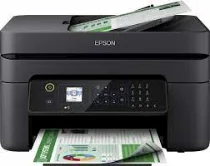
Epson WorkForce WF-2835DWF printer model uses a 4-color inkjet printing method that comprises 180 nozzles for black and 59 nozzles per color. Also, it has a minimum droplet size of 3 picoliters (pl) with a variable-sized droplet technology for best performance. At the same time, it also has pigment black and dye color inks with the right ink technology. Amazingly, the Epson WorkForce WF-2835DWF printer’s other features include the internal driver that works perfectly for duplex printing.
Epson WorkForce WF-2835DWF Drivers for Windows
bbdd70d95a3f2eedb881158efe9c3d656f5744c90af2801586390b56385060e1e1bc4cf4dfb003398cadccc3d792649111a0e0697c2857a10db416e45c9aa6d78a1fc71d87750c5e7573f1dd4b40d771f3914e978f458efa01467128688faf04e296b0dd6f562045ca62037185b78ea08935c2397617465e6551a239e6f13b6cEpson WorkForce WF-2835DWF Drivers for macOS
a3f444082baefeb79d43878529dedb2090fb595c0c45506c5590c8081046559f3c2df543de970b39cd87020340039cfa5ad79eb334626b7e865379bb896180e090071b11984600791b1ab1b58f654ee83a3a90fed5e5b6be2162f41461badfc7Epson WorkForce WF-2835DWF Specifications
The Epson WorkForce WF-2835DWF model can print, copy, fax, and scan documents as a multifunctional printer. It also has a first-page output time of 10 seconds for monochrome documents, while the color document takes 16 seconds. The rates above are according to the IEEE/ISO 17629, which measures printer performance. Moreover, at the ISO/IEC 24734 standard, the print rate is about six pages per minute (ppm) for A4 paper.
On the other hand, color printing at the ISO/IEC 24734 has a rate of 4 ppm for A4 paper. In standard printing mode, especially when using plain paper with an average weight of 75 gsm, the speed is 33 ppm for black pages. However, color printing under similar conditions has a rate of 18 ppm for the same paper type. The print resolution of the machine is about 5760 x 1440 dots per inch (dpi). Also, it has a maximum printing volume of 3000 pages per month.
The scanner type that works for the Epson WorkForce WF-2835DWF model is a contact image sensor (CIS) element. It also has an optical resolution of up to 1200 x 2400 dots per inch (dpi) with horizontal and vertical dimensions. The scanning speed is up to 4.5 images per minute (ipm) through the ADF component at the single-sided scan speed. Besides, the output formats include BMP, TIFF, multi-TIFF, PNG, JPEG, and PDF.
Technical Details
| Title | Epson WorkForce WF-2835DWF Drivers |
|---|---|
| Device Type | All-in-one printer |
| Driver Version | Varies by driver and operating system |
| Available Downloads | Drivers |
| License | Free |
| Manufacturer | Seiko Epson Corporation |